Over the past few months, I’ve been using a third-party product that integrates with Dynamics GP.
While it occasionally functions correctly, the product is full of major bugs. These aren’t obscure bugs that require a specific series of steps to uncover. They are obvious, significant bugs that surface with even the simplest data entry. In just 10 minutes of using one window, I encountered multiple bugs.
This product uses a web service for its backend integration with Dynamics GP. Their custom GP windows communicate with this web service instead of using DLLs. This web service also acts as the API for integrating other systems with their product, which makes sense in theory.
After addressing many bugs, we got the product working, including my own integration with it. Everything seemed stable for a while.
Then, we discovered that some records sent from my integration were missing in the product’s database. The records were present in GP but not in the third-party product’s tables.
After some confusion, we tried entering the same data directly into the product’s GP window. We filled the necessary fields and clicked Save.

The issue wasn’t with my integration specifically, but with the product’s ability to save this particular data. We examined the data and noticed one field contained a large amount of text - 51 characters.
We shortened the value in that field and tried saving again. This time it worked. Examining the web service’s diagnostic logs revealed an error:
String or binary data would be truncated
at System.Data.SqlClient.SqlCommand.ExecuteNonQuery()
Checking the SQL table confirmed that the field had a limit of 50 characters. Our 51-character value caused the error.
This issue should be immediately concerning to any developer.
It suggests that the web service API developer isn’t validating data input or lengths before saving to their database. As a result, submitting data exceeding a field’s length will cause a SQL exception.
The log file indicated that the developer was constructing SQL statements by string concatenation:
INSERT INTO SomeTable (TransactionType, Amount, TransactionTime, IsProcessed, CurrencyId, InvoiceNum, PurchaseOrderNum, SubmittedBy, CompanyId, CustomerId, CompanyName, AgreementId)
VALUES (1,10.99,1,‘3/23/2015 2:37:08 PM’,2,1,1, ‘STDINV3588’, ‘’, ‘1’, ‘sa’,‘Test Company’,’’,’-1’,‘TI TESTCO100’,2,2,‘Test Company’, 0)
While there might be rare exceptions, building SQL statements this way is generally bad practice, especially with user-generated data. Unvalidated data can lead to errors and vulnerabilities like SQL injection.
The correct approach would be using parameterized SQL statements like this:
SqlParameter[] sqlParameters = new SqlParameter[2];
sqlParameters[0] = new SqlParameter("@CustomerID", System.Data.SqlDbType.VarChar, 15);
sqlParameters[0].Value = gpCustomerID.Trim();
sqlParameters[1] = new SqlParameter("@CompanyID", System.Data.SqlDbType.Int);
sqlParameters[1].Value = gpCompanyID;
This code defines data types and maximum lengths for SQL command parameters. Customer ID must be a VarChar with a maximum of 15 characters, and Company ID must be an integer. This doesn’t solve every potential problem, but it prevents SQL truncation errors.
This is not advanced coding; it’s a fundamental .NET development practice.
To work around this issue, I had to modify my integration code to truncate data before sending it to the API.
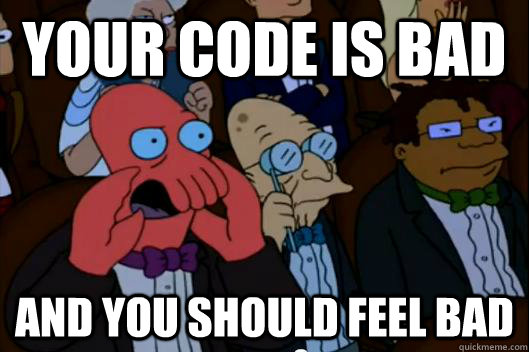
It’s alarming that the developer of a commercial software product sold to Dynamics GP customers for thousands of dollars doesn’t understand basic input validation. The “QA department” clearly needs improvement as well.
Developer, please educate yourself on proper coding practices.

Everyone makes coding errors, but this is not a minor mistake. It’s a fundamental design flaw that aligns with all the other bugs we encountered in this product.
On a positive note, this developer’s shortcomings make me feel like an excellent programmer.
Steve Endow is a Microsoft MVP for Dynamics GP and a Dynamics GP Certified IT Professional in Los Angeles. He is the owner of Precipio Services, which provides Dynamics GP integrations, customizations, and automation solutions.
You can also find him onGoogle+andTwitter
http://www.precipioservices.com
