Java is commonly criticized for being overly complex and time-consuming when creating straightforward applications. However, Java offers a reliable platform with a well-established ecosystem, making it a great choice for building robust software.
The Spring Framework, a prominent member of the Java ecosystem, provides a set of programming and configuration models designed to simplify the development of efficient and testable Java applications.
This tutorial will guide you through building a basic application using the Spring Framework and the Java Persistence API (JPA). This application will function as a database for software developers.
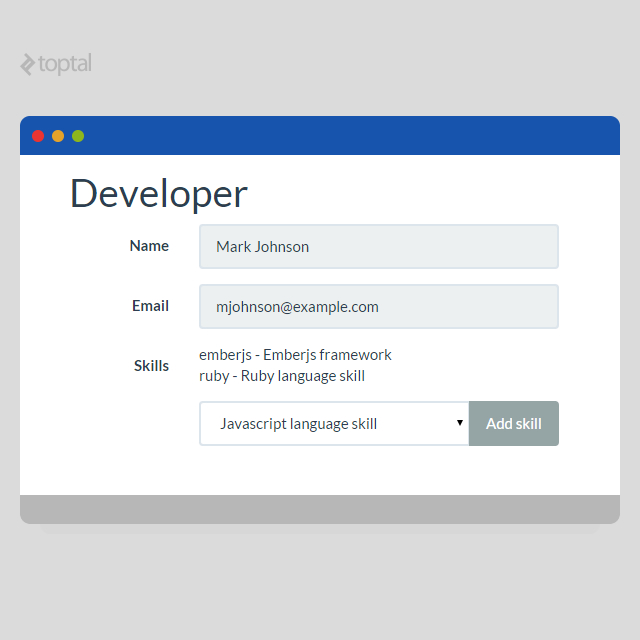
Following a standard MVC architecture, the application will consist of a controller (ContractsController class), views (Thymeleaf templates), and a model (a Java map object). To keep things simple, an in-memory database powered by JPA will manage data persistence during application runtime.
Getting Started with the Spring Framework Tutorial
You’ll need one of the following build tools to create a Spring-based application:
Maven
Gradle
This tutorial will utilize Maven. If you’re unfamiliar with either tool, a simple starting point is downloading the Spring Tool Suite. This suite is specifically tailored for Spring Framework development and includes its own Eclipse based IDE.
Within Spring Tool Suite, create a new project by navigating to “File > New” and selecting “Spring Starter Project.”
After project creation, add the following dependencies to the Maven configuration file, “pom.xml”:
These dependencies will incorporate Spring Boot Web, Thymeleaf, JPA, and H2 (the in-memory database). All required libraries will be automatically included.
Entity Classes
To manage data related to developers and their skills, define two entity classes: “Developer” and “Skill.”
These are standard Java classes with annotations. By adding “@Entity” before each class, you make their instances accessible to JPA, simplifying the process of storing and retrieving instances from the persistent data store. Furthermore, the “@Id” and “@GeneratedValue” annotations designate the unique ID field for each entity and enable automatic value generation upon storage in the database.
Since a developer can possess multiple skills, establish a basic many-to-many relationship using the “@ManyToMany” annotation.
JPA allows you to define convenient interfaces like DeveloperRepository and SkillRepository, facilitating CRUD operations. These interfaces provide access to stored developers and skills through straightforward method calls:
“repository.findAll()”: Retrieves all developers
“repository.findOne(id)”: Retrieves a specific developer by ID
To create these interfaces, simply extend the CrudRepository interface.
URI mapping to methods is achieved through “@RequestMapping” annotations. Here, each controller method maps to a specific URI.
The “model” parameter in these methods facilitates data transfer to the view, acting as a simple key-value map.
Each controller method returns either the name of the Thymeleaf template for rendering or a redirect URL (using the “redirect:” pattern). For instance, “developer” and “_developersList_” return template names, while “developersAdd” and “developersAddSkill” return redirect URLs.
Within the controller, “@Autowired” annotations automatically inject instances of your defined repositories into the corresponding fields, granting access to data without excessive boilerplate code.
Views
Finally, define templates for view generation using Thymeleaf, a user-friendly templating engine. The model used in controller methods is directly accessible within these templates. For example, if a “contract” key in the model contains data, you can access its “name” field within the template using “contract.name.”
Thymeleaf employs special elements and attributes for HTML generation. These are intuitive and straightforward. To populate a span element with a skill’s name (assuming a “skill” key exists in the model), use:
1
<span th:text="${skill.label}"></span>
Similarly, the “th:href” attribute dynamically sets the “href” attribute for anchor elements.
This application requires two basic templates. For clarity, styling and class attributes (e.g., Bootstrap classes) are omitted from the embedded template code.
Spring is a versatile framework for constructing MVC applications. Building simple applications with Spring is quick and straightforward. Additionally, integrating a database through JPA is seamless.