Prior to the major shift in how we connect brought about by COVID-19, virtual events were already gaining popularity. Companies and brands are drawn to them for various reasons, but two key advantages stand out:
- Virtual events are more budget-friendly to host.
- Virtual events offer greater accessibility.
While the idea of wider reach and cost savings is appealing, it doesn’t necessarily make hosting engaging virtual events any easier than their in-person counterparts. Just like with physical events, a successful virtual event requires careful consideration of how the chosen platform aligns with your message. Additionally, a strategic plan is crucial for boosting engagement and achieving both primary and secondary event goals.

This post will guide you through six essential tips for hosting engaging virtual events:
- Define the objective of your virtual events.
- Effectively promote your virtual events.
- Provide incentives for event attendance.
- Be well-prepared for potential tech issues.
- Continue promoting the event during the event itself.
- Gather feedback from your attendees.
Before delving into these tips, let’s ensure we’re on the same page regarding what constitutes a virtual event.
Defining a Virtual Event
A virtual event unfolds online, utilizing a platform that facilitates interaction between participants (or hosts) and attendees or an audience.
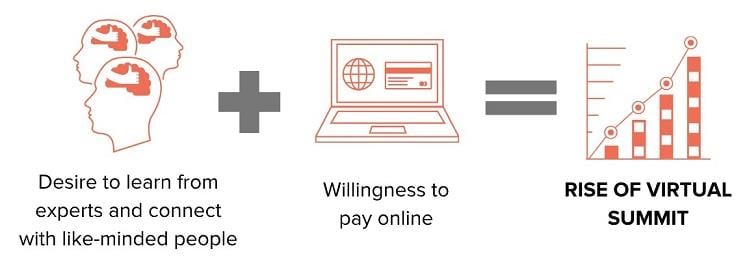
Image Source This definition encompasses a wide array of formats, including webinars, behind-the-scenes brand tours, conferences, and any other form of connection established through a virtual medium. From a simple live-tweet product reveal to a sophisticated multi-person webinar panel with a Q&A session, the possibilities are diverse.
Certain types of events naturally lend themselves well to the virtual format:
- Conferences: Virtual conferences are interactive events, typically offering attendees unique, downloadable content. Often paid events, they are gaining popularity as a cost-effective alternative to large-scale physical conferences that involve travel expenses.
- Training, Workshops, and Courses: These virtual events provide a “hands-on” experience. They might involve downloadable content, such as a marketing course, delivered live or pre-recorded and available for purchase. Paid attendance is common, with the expectation that attendees actively participate alongside the course material.
- Webinars: Generally more intimate than conferences, webinars encourage interaction between virtual attendees and speakers or presenters.
- Tours: Virtual tours, ranging from informal to formal, offer audiences a glimpse behind the scenes. For instance, Ahrefs posted a virtual tour of their Singapore office on YouTube. These are typically free events.
- Virtual Meetups: Ideal for remote teams, virtual meetups provide a relaxed setting for engagement and interaction. These events are free and informal.
- Fireside Chats: Popular in the startup world, fireside chats are informal virtual events featuring a small group of peers in a relaxed conversational setting. These are usually free to attend.
While this list covers common formats, the realm of virtual events extends beyond these examples.
Six Tips for Hosting Engaging Virtual Events
As previously mentioned, despite their cost-effectiveness and broader reach, virtual events demand meticulous planning to ensure their effectiveness, much like their physical counterparts. Here are six key tips to elevate your next virtual event:
1. Define Your Virtual Event’s Objective
When planning your event, prioritize aligning the chosen medium with your overarching goal. Avoid simply opting for a free virtual event platform based solely on cost or popularity.
For instance, if fostering face-to-face interaction within your remote team is paramount, a virtual meetup via a common tool like Zoom might be ideal. Conversely, if your objective is to showcase a new product or service to your target audience, a more comprehensive approach is necessary, including an event page, targeted PPC campaigns, and email marketing efforts.
Defining your event’s objective starts with understanding your ideal virtual audience:
- Are you seeking an audience of industry peers?
- Is your target audience existing customers, new prospects, or a mix of both?
- Do you envision an event with active participant involvement or primarily observation?
Once you’ve clearly defined your goal, you can move on to the next crucial step: promoting your virtual event.
2. Effective Promotion for Your Virtual Event
Leveraging your existing marketing channels is essential for maximizing attendance and participation in your virtual event. Treat your virtual event like any other product or service you offer—it requires targeted marketing efforts to reach your desired audience.
Step #1: Start with Your Network
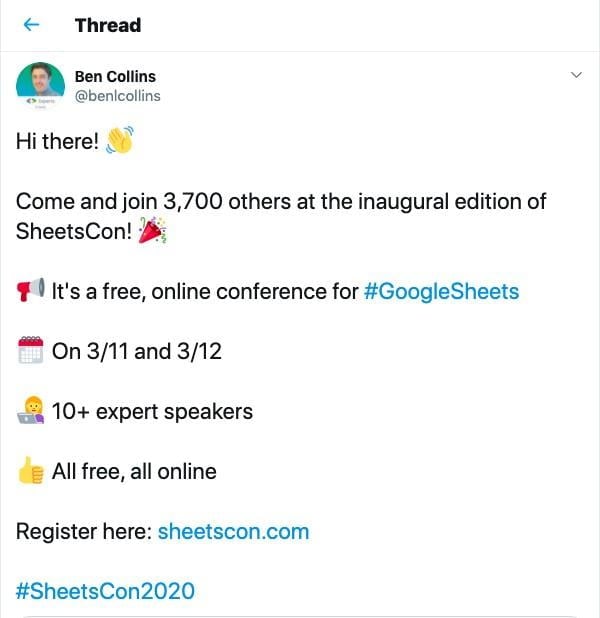
Share the event with employees, partners, and social media influencers who can contribute by co-hosting or promoting it.
Step #2: Utilize Content Marketing
If you have a blog with subscribers, crafting a blog post dedicated to the event can significantly boost attendance. Moreover, if pre-event content is feasible, consider tailoring your content calendar to feature articles aligned with the event’s themes.
Step #3: Leverage Your Podcast
Podcasts offer a unique avenue to connect with your audience without the usual competition for attention. Unlike email blasts and PPC ads, a podcast mention allows you to capture your customer’s undivided attention.
Step #4: Explore Paid Advertising
Platforms like Google Ads and Facebook Ads, with their demographic targeting and lookalike audience features, enable highly targeted advertising campaigns directed at bottom-of-the-funnel prospects. However, remember that effectiveness hinges on compelling ad copy, impactful visuals, and a clear call to action, such as registering for the virtual event.
Step #5: Create a Dedicated Landing Page
Your podcast, content marketing, and PPC strategies should seamlessly guide potential attendees to a dedicated virtual event landing page. This page is where they’ll decide whether to register for your event.
Note: While promotion is essential for any event, the intensity of your efforts should align with the event’s formality.
For example, a simple Instagram story event might not necessitate a dedicated landing page or extensive PPC campaigns. Instead, leveraging your existing Instagram network might suffice. Below is an example of an organic social media post promoting an upcoming event:
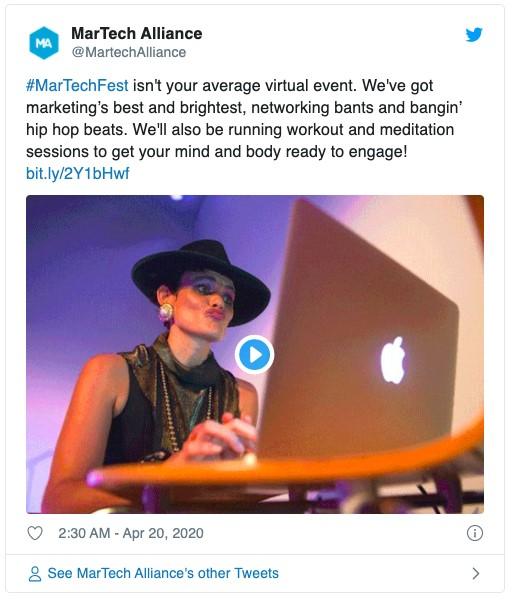
What makes this post effective:
- Clear Hashtag: Hashtags empower attendees to engage in real-time conversations about the event and connect with fellow participants. Instagram hashtags, in particular, can create a virtual event within the larger event, allowing those who missed it to catch up through attendee posts.
- Direct Link to the Event Landing Page: While this post includes a link, a more impactful approach would be to frame it as a clear call to action, explicitly directing users to register for the event.
- Engaging Video Content: Video ads are highly effective in capturing the attention of users scrolling through their feeds. Incorporating footage from past events can make your virtual event ads even more compelling.
3. Incentivize Attendance
Beyond simply assuming your brand’s awesomeness, give attendees compelling reasons to participate.
There are numerous ways to incentivize attendance, from offering freebies (see below) to highlighting the valuable insights attendees can expect to gain.
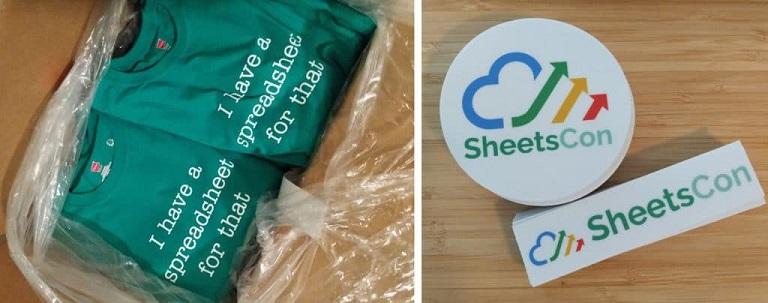
Image Source The level of incentive required depends on whether your event is free or ticketed.
For free events, position the event itself as the primary incentive.
For instance, if you’re hosting a small business workshop on setting up Google Analytics, the knowledge and skills gained during the session serve as the incentive.
The ad copy or blog post for such an event could be: “Attention all small business owners! Join us this Friday on Instagram Live for a step-by-step guide to setting up Google Analytics and Google Search Console accounts for your ecommerce site.”
For paid events, consider offering exclusive materials as an incentive.
This could be a simple PDF guide, an ebook provided upon registration, or, if the event is tied to a product or service, a discount code or extended free trial exclusively for attendees.
4. Prepare for Tech Issues
A prime example of a virtual event gone wrong is the infamous Mayweather and McGregor Live Stream fail. This highly anticipated boxing match, billed as a major sporting event, faced major technical difficulties, leaving attendees who had registered, paid, and eagerly awaited the event frustrated and disappointed.
Thorough planning includes having contingency plans in place. Ask yourself:
- What if the live stream fails? Depending on the severity, consider backup dates for rescheduling or have an alternative platform ready to deploy.
- What if a guest speaker is unable to attend? The impact of this depends on the event’s format. In a fireside chat, a missing participant is problematic, while in other formats, the host might be able to adapt and cover the intended material.
- What if attendance is higher or lower than anticipated? With adequate preparation, this can be easily managed. Having multiple event plans allows you to adjust based on turnout. For higher attendance, adopt a less detailed approach, allowing for more Q&A, while for lower attendance, create a more intimate and interactive experience.
5. Continue Promotion During the Event
Social media’s role extends beyond pre-event promotion.
Encourage live-tweeting during the event using a dedicated hashtag. This real-time engagement not only amplifies reach but also provides free publicity as attendees share their experiences with their networks.
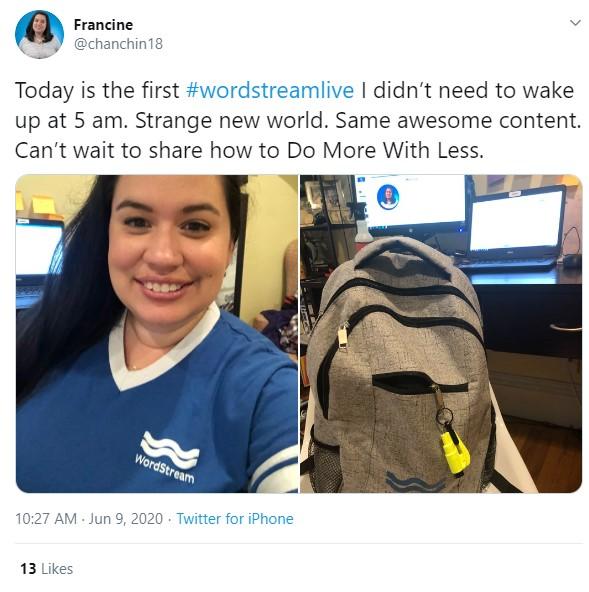
Live-tweeting is particularly effective for paid events. Attendees’ tweets will offer glimpses into the event, piquing the interest of their followers without revealing all the valuable content.
6. Gather Attendee Feedback
Always think ahead.
Following up with participants after the event is crucial for improving future events and gauging the effectiveness of your chosen platform.
A simple follow-up email a day or two after the event is ideal, ensuring feedback is fresh in attendees’ minds.
Some events, like SheetsCon—a virtual conference dedicated to Google Sheets—have successfully integrated real-time polling during the event to gather immediate feedback. As a first-time event, understanding the attendee experience was paramount for future iterations.
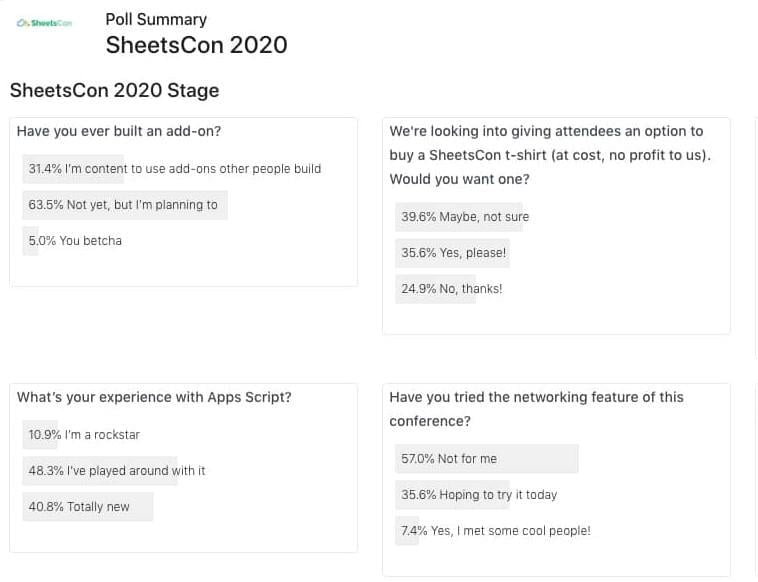
Image Source Regardless of your chosen method, actively seek and analyze feedback to continuously enhance your virtual events.
Host Engaging Virtual Events
Virtual events offer a win-win scenario for both organizers (cost-effectiveness, wider reach) and attendees (flexible scheduling, affordability, enhanced interaction with presenters).
Whether it’s a recurring virtual team meeting or a large-scale virtual conference, defining your event’s objective and target audience is paramount. From there, implement these tips to create virtual events that are both beneficial for your business and provide clear value to attendees.