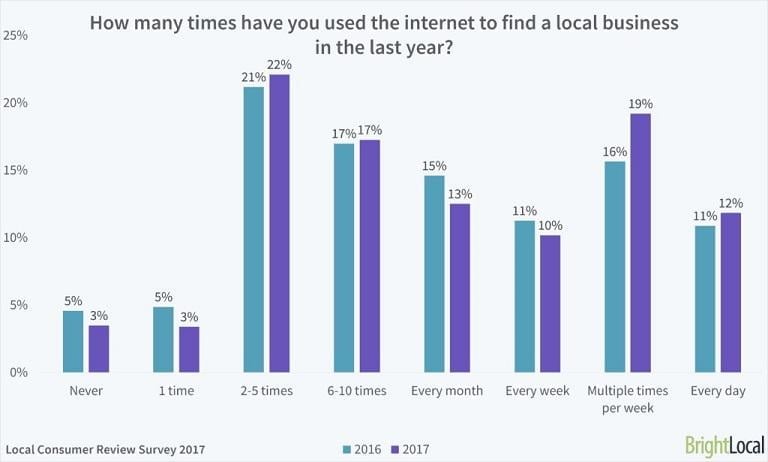
Is building a website feeling like an insurmountable hurdle? Are you delaying creating a website for your business, non-profit, or portfolio because it seems overwhelming? If the thought of coding, finding images, and creating forms sounds daunting, there’s good news. You don’t need to be a tech whiz to build a simple website. Gone are the days of needing a pricey designer or developer for a basic website. Nowadays, all you need is an afternoon and a small budget, perhaps between $20 and $100, depending on your chosen tools. And here’s the truth: If you aim to cultivate a thriving business, a website is non-negotiable. 97% of people rely on the internet to find local businesses.
This post will guide you step-by-step through setting up a basic website:
- Define your website’s purpose
- Choose a website hosting company
- Select your site builder
- Plan your web pages
- Optimize your website
- Set up a payment processor (if needed) Let’s dive in.
1. Define your website’s purpose
Before you jump into the actual creating your website, take time to define your website’s purpose. Understanding its function is crucial when choosing the right tools.

Before you begin, ask yourself these questions about your website:
- What is your site’s primary goal? Do you want to increase foot traffic, sell products online, share a weekly menu, accept online orders, or something completely different? Your answer will influence your hosting choice, site builder, and every other decision.
- How do you currently market your business? Your marketing strategy will impact your tool selection. For instance, if email marketing is key, you’ll need an email sign-up form. If Instagram drives a lot of traffic, consider embedding your feed on your site.
- What features does your site require? Are you selling products online? Choose a site builder and host specializing in e-commerce. What about digital products? You’ll need automatic file delivery. Do you want to provide directions to your physical store? List the necessary features and functions for reference when selecting a web host or site builder.
- Where do you envision your business in a few years? What features or marketing strategies would you like to explore? For example, if you plan to use paid ads, ensure your chosen host can handle increased traffic and easily create landing pages.
2. Choose a web hosting company
Setting up a website requires three core components: a host (storing and delivering your website files upon user request), a domain name (your site’s online address), and a site builder (the tool for creating pages, adding content, uploading images, etc.). These are often bundled by web hosts like GoDaddy, BlueHost, and SiteGround. With numerous web hosts and varying packages, choosing one can be confusing. Here’s how to choose the right web host:
- Determine your hosting needs: Shared or cloud hosting is budget-friendly and sufficient for most small business websites. High-traffic or large e-commerce brands should consider dedicated or VPS hosting.
- Prioritize uptime: Website downtime equals lost revenue. Look for a web host guaranteeing at least 99.9% uptime and offering refunds for failing to meet this guarantee.
- Consider security: Hosts are responsible for your web files’ security. Opt for a host that prioritizes security with features like an included SSL certificate, firewall, and malware protection.
- Plan for the future: While a cheap, shared hosting plan may suffice for informational sites, consider potential traffic increases as your business grows. Choose a provider with scalable plans.
- Evaluate features: Hosts often offer extras like site builders, SSL certificates (providing the “https” prefix), free domain names, marketing credits, and email hosting. Choose a host offering what you need, not an expensive plan with unused “free” features.
- Scrutinize pricing: Many hosts offer first-year discounts or a “free” domain name with a much higher renewal rate. Check the second-year renewal price before committing. Finally, read reviews before purchasing. While switching hosts is possible, it can be complex. Reviews help avoid this hassle. Who Is Hosting This and Hosting Facts offer comprehensive reviews and comparisons of popular hosting options.
3. Choose your site builder
Building a website used to be a time-consuming process. Now, with templates and drag-and-drop site builders, you can have a functional site in minutes. Start by exploring your host’s offerings. Many include a proprietary site builder or access to a third-party one with their hosting plans. For instance, Siteground, provides free access to Weebly or WordPress with all their hosting plans. Here’s a look at some popular site builders:
WordPress
You’ve likely heard of WordPress, the internet’s most popular content management system. There are two options: WordPress.com and WordPress.org. WordPress.com is a paid service offering hosting and security. WordPress.org provides free downloadable files for your hosting provider.
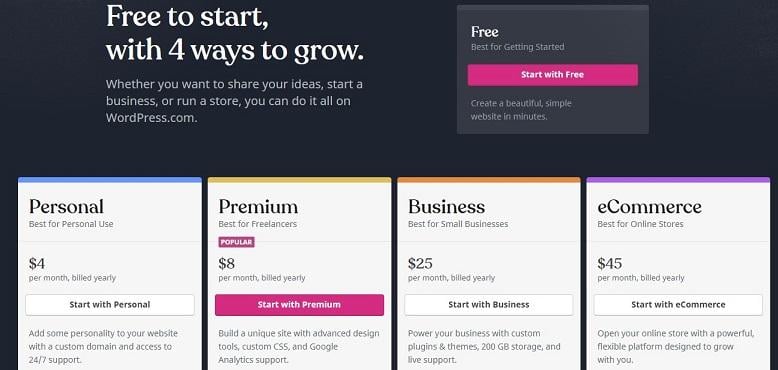
WordPress can be as simple or complex as you need, with various themes available. It’s an excellent choice if you plan to expand your site.
Squarespace
Squarespace is a template-based site-building platform offering hosting, domains, a site builder, and even e-commerce features. Squarespace offer flexibility, but with slightly limited options compared to WordPress.
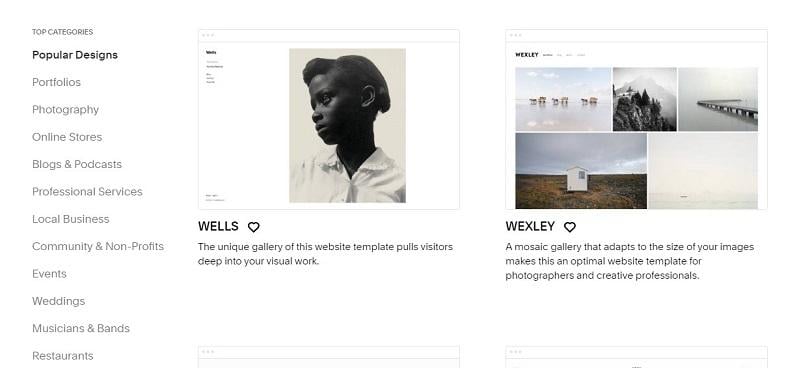
Template choices cater to restaurants, portfolios, events, weddings, bands, and online stores. If DIY isn’t your style, you can hire a Squarespace designer to build your Squarespace site for you.
Weebly
Weebly is a user-friendly, template-based site builder with drag-and-drop functionality. Adding features and even a store is simple; however, Weebly’s customization options are limited. This may be suitable for basic sites. Weebly also offers domain names if you haven’t secured one already.
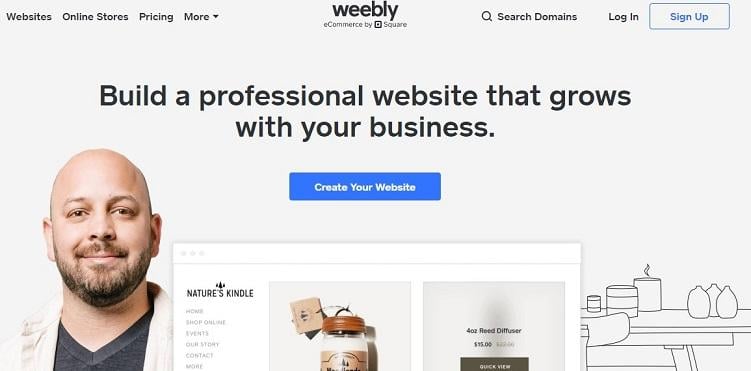
Weebly’s popularity has surged, especially among small businesses without complex website requirements. It’s affordable, but businesses aiming for expansion might outgrow it.
4. Outline your web pages
With your host and site builder chosen, it’s time to create your site’s content. While the number of pages varies greatly depending on your business, some are essential for every website. Remember, users should find information easily. If a page is important, list it in the main navigation bar (website header examples here) or the footer. Here are key website pages to include:
- Home page: Your elevator pitch and first impression. Explain your company and its values. Include a CTA to other pages, like “Contact Us” or “Products/Services.” For homepage inspiration, check here.
- Service or product pages: Dedicate a page to each major service or product line. For example, a bakery might have separate pages for cakes, pies, and catering. Find product description tips here.
- About us page: Share your company’s history and the people behind it. What’s your founding story? What background do you want to share? Are you a veteran, a former police officer, or a family-run business?
- Contact page: Provide various ways for visitors to reach you: an online form, phone number, address, hours, and an embedded Google map.
- Privacy statement: Explain what information you collect from visitors and how you use it. Include a call to action, or CTA, on every page. For instance, at the bottom of every LOCALiQ page, there’s a form to get started:
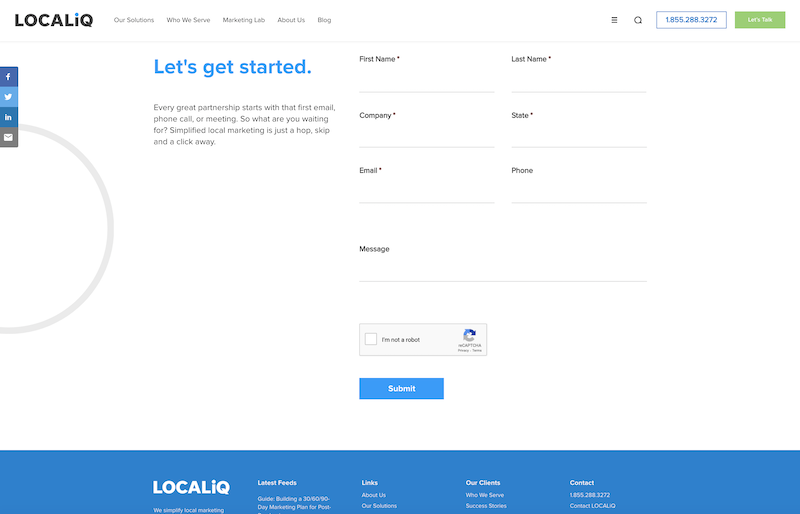
Depending on your business model, use the CTA to direct visitors to your email list, contact page, or product page. Explore our collection of inspiring website examples for more ideas.
5. Optimize your website
Once your website is live, how will users find it? Most users search on Google. For example, a family looking for children’s clothes might type “kids clothing near me.” Google utilizes over 200 ranking factors to determine which sites to show. Optimizing your site increases its chances of ranking well for your industry and location. The tools you use will depend on your site builder and host. Here are some to consider:
- WordPress users can download the Yoast SEO plugin.
- If you use WordPress.org, download JetPack and use their SEO guide for optimization.
- Squarespace users can utilize this checklist they provide..
- Learn more about SEO features on Weebly here. This SEO basics guide provides additional information on optimizing your site for higher Google rankings.
6. Set up a payment processor (if needed)
If you’re selling products online or allowing online ordering, you’ll need a way to accept payments. Popular options include PayPal, Stripe, and Square, although many other payment processor options. exist. Your chosen host might offer e-commerce functionality as well. Here’s a quick overview of three popular payment processors:
- Stripe is an online payment API suitable for e-commerce businesses. Collect for Stripe also enable in-person payments.
- PayPal is a widely used online payment processor offering online checkout, invoicing, and payment solutions suitable for most e-commerce businesses.
- Square provides POS systems, online checkout, and invoicing, catering to both online and physical businesses.
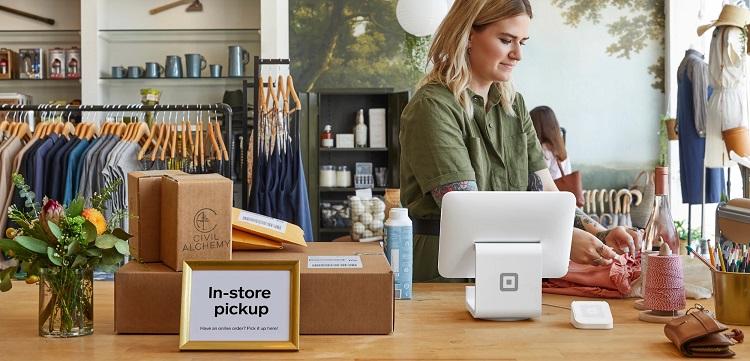
When choosing a payment processor, consider your target audience’s preferred payment methods and the processor’s fees.
Stick to the basics
If you run a small business, you’ve likely heard about the importance of having a basic website, but creating one can seem overwhelming. With today’s tools and solutions, getting your business online no longer requires coding knowledge or a huge budget. Using the tools and guidance above, you can have your business ready to connect with the 4.33 billion internet users in just an afternoon.