In the past, WordPress was mainly known as a simple tool for blogging. Today, its reach extends far beyond 50 percent of the market share for CMSs, powering close to 60 million websites globally.
Despite its popularity as a platform for building websites and online applications, misconceptions about WordPress have spread rapidly, deterring many from using it.
This article aims to debunk the five most prevalent WordPress myths and taboos, providing clear explanations and practical solutions to overcome them.
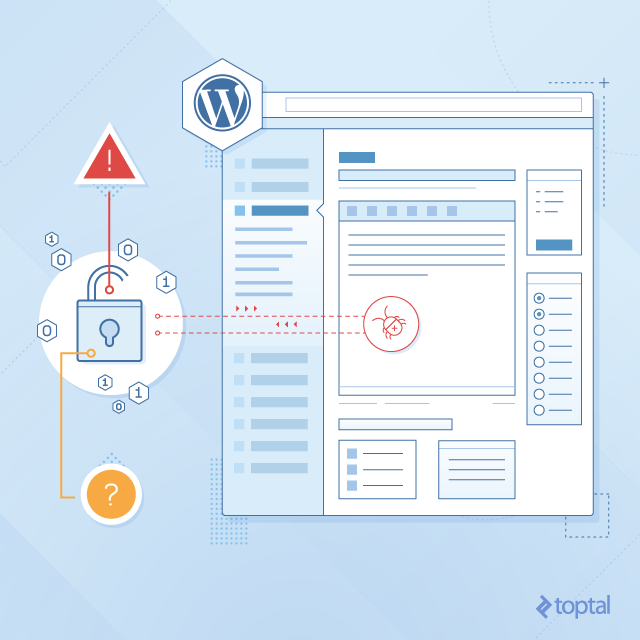
1. WordPress is highly vulnerable to hacking.
A common belief is that WordPress is the easiest CMS to hack. While this notion holds some truth, it doesn’t tell the whole story.
Consider Microsoft Windows, for example. Being the most widely used operating system (OS), it’s naturally more prone to viruses and Trojan threats compared to other OSs. However, its user-friendliness makes it the preferred choice for many. Similarly, WordPress is the most developer-friendly CMS, making it a worthwhile platform despite its security concerns.
Nevertheless, it’s crucial to be aware of potential security issues. Here are some proactive steps you can take to safeguard your WordPress website:
Back up your WordPress site regularly. A site with outdated software becomes an easy target for hackers. It’s recommended to back up your site at least weekly. Numerous plugins can assist with this, including BackupBuddy, which costs around $80.
While backup plugins might seem costly, their value is undeniable.
Alternatively, free options like Ready! and UpdraftPlus are available.
Some hosting providers offer backup downloads, although these might not be WordPress-specific solutions.
Restoring a backup from a hosting provider might require technical expertise. You might overlook backing up your database or lack the knowledge to restore it correctly. This could lead to hiring a WordPress professional to fix the installation.
Using plugins simplifies the process – you can create, schedule, and restore backups easily with a few clicks.
Never choose admin as your username. This common default username provides an easy entry point for hackers. If you already selected admin during installation, don’t worry – it’s simple to change.
The easiest method is to create a new user with admin privileges.
Once you can log in with the new username, delete the old one.
Changing admin privileges directly in PHPMyAdmin is also possible, but proceed with caution. Editing the database directly is risky, as mistakes can lead to significant data loss.
Consider using a plugin like Limit Login Attempts, which limits login attempts and bans IPs after multiple failed attempts.
I highly recommend using the plugin HideMyWP to completely conceal the fact that you’re using WordPress. HideMyWP masks your login link and renames theme and plugin files, offering comprehensive security features in one plugin.
Explore managed WordPress hosting solutions like WPEngine or Pantheon. These services handle security, automatically update WordPress, and generate site backups, allowing you to focus on content and features.
If these precautions fail, the next step is restricting access to your website’s /wp-admin/ section by whitelisting specific IP addresses. Allowing only your computer’s IP address is the simplest approach.
The HideMyWP plugin can achieve this, but remember to disable it when traveling or changing locations.
Alternatively, the plugin can hide your login page without IP address modifications, making it harder for brute-force attacks to target the correct URL.
2. WordPress is solely blogging software.
While WordPress started as a blogging system in 2004, it has evolved into a highly adaptable tool. Built on PHP and MySQL, two widely customizable and extendable programming languages, WordPress goes beyond just text.
WordPress supports various media formats, including images, audio, video, and document files.
Plugins like WooCommerce (https://wordpress.org/plugins/woocommerce) transform WordPress into a robust e-commerce platform, while BuddyPress converts it into a social networking site.
Plugins and themes are available for various purposes, including classified listings, membership sites, affiliate marketing, marketplaces, and more. Currently, the WordPress repository offers over 40,000 plugins plugins and themes, many of which are free.
Unlike platforms like Magento, Moodle, and phpBB, WordPress isn’t confined to a single use case. Its versatility allows for diverse creations.
A notable example is the Hello Bar application, which leverages WordPress as its core foundation.
Impressed by its capabilities, numerous top brands power their websites using WordPress.
Further proof of its prowess lies in the fact that 37 million searches are made searches are conducted on WordPress every month.
Statistics show that WordPress.org sometimes receives more unique visitors than Amazon.com. Additionally, WordPress translations are available in over 40 languages.
3. WordPress professionals are solely designers.
While WordPress boasts one of the cleanest admin panels among CMSs, its ability to execute multiple database queries simultaneously highlights its power.
WordPress possesses a well-structured database that handles intricate processing. Managing this requires more than just front-end or design skills. It demands the expertise of a skilled and experienced developer who can extend WordPress functionality, often utilizing various plugins.
Therefore, a WordPress professional’s work transcends ordinary design tasks, requiring in-depth knowledge and programming proficiency.
4. WordPress is not a suitable enterprise solution.
The misconception that WordPress can’t handle large-scale enterprise needs often leads businesses to opt for custom-built applications. However, this is a myth. What’s crucial for any enterprise, regardless of the platform, is a well-optimized and scalable database to maximize potential.
WordPress prioritizes efficiency and transparency in its design, making it highly compatible with third-party applications.
One major advantage of WordPress as an enterprise solution is its user-friendly and intuitive back-end. Unlike other CMSs that frequently redesign their admin panels with major updates, WordPress prioritizes user experience and maintains consistency.
Additionally, WordPress boasts excellent built-in SEO support, arguably making it the most SEO-friendly platform. A well-optimized site is crucial for visibility on search engines, which is vital for businesses.
Multilingual support is another essential feature for enterprises, and WordPress excels in this area. multi-sites in multiple languages make WordPress an ideal choice for complex websites.
Moreover, WordPress can be used to develop intranets for internal communication and collaboration within enterprises.
5. Each WordPress installation requires a separate database.
Many intermediate and even experienced WordPress developers believe that a one-to-one relationship between WordPress installations and databases is mandatory. However, this isn’t the case.
You can run multiple WordPress installations on a single database. While this might seem like a way to exploit free hosting, it’s achievable until the database reaches its capacity. You can modify the database prefix in the wp-config.php file to accomplish this.
Sharing specific tables, such as user access, across multiple WordPress installations is also possible.
As mentioned earlier, WordPress offers multi-site functionality.
This feature enables you to create numerous sub-sites under a single URL, sharing the same theme, plugins, and hosting account.
Each sub-site has its own administrator, while the main site has a super administrator with access to all sub-sites. Additionally, a network administrator manages the network between sites. This feature not only enhances convenience but also offers cost-effectiveness and affordability.
Replicating such multi-site functionality might be more challenging on other CMS platforms.
Move beyond the myths.
There are no valid reasons to shy away from using WordPress. It’s a powerful application brimming with possibilities.
As a bonus, numerous online resources simplify WordPress management. From a financial standpoint, WordPress offers an affordable and high-quality solution for websites, e-commerce stores, membership portals, forums, and various other online platforms.
It’s a cost-effective choice, providing access to a wide range of attractive designs at affordable prices. On average, most themes cost under $50, while plugins are usually priced around $5.
WordPress is an exceptional open-source software accessible to everyone, catering to diverse needs from simple blogs to managing complex websites.
By implementing basic security measures to mitigate hacking risks, you can fully leverage its features. WordPress stands as one of the best online applications for any web portal or CMS requirement.