It’s decided, folks. Mark your calendars for July 10th: A day that will live in infamy. An email blast to advertisers last night declared that starting on July 10th, 2018, “the new Google Ads interface will be the only way to manage your account…
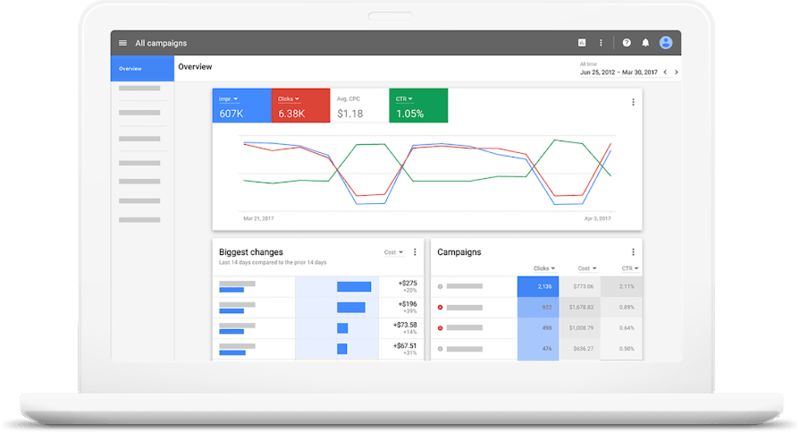
…and the old version will be gone for good.” We’ve all had a sneak peek at the new UI – with its slick design and somewhat handy visualizations – but using it wasn’t mandatory, until now. There was a friendly little button tucked away in the old Google Ads (formerly Google AdWords) suggesting we test drive this new tool for a productivity boost.

Very soon, that productivity boost will no longer be a choice. Sorry, folks who resist change. If you’ve been getting comfortable with the new Google Ads UI, its nested structure and abundance of new features (many of which were never available in the old UI) will be old news by early July. But for those who haven’t embraced the change, I’ve compiled a list of essential tasks to tackle before the old version disappears.
#1: Take the Guided Tour
I love exploring museums, historic houses, and breweries. What I don’t love is being herded through them at someone else’s scripted, pre-determined pace. Following tour guides isn’t my thing, and I’m guessing many of you feel the same. However, for something as intricate – and let’s face it, connected to my finances – as the Google Ads Experience™, I’ll make an exception.
(Mainly because it’s only five steps.) This tour gives you a lay of the land, highlighting where important stuff is located within the new UI. It points out:
The navigation panel, allowing you to switch between active/inactive campaigns and ad groups by type (search, display, video, shopping, or all).
The page menu – in my opinion, the most valuable new feature – lets you jump between everything from extensions and adjustments to audiences and change history.
The new location for tools and reporting.
The help icon (super helpful!).
And lastly, the overview tab, which presents key account insights for your analysis. Quick. To the point. Helpful. Now that’s a tour I can get behind.
#2: Ensure Your Filters, Rules & Reports Are Functioning
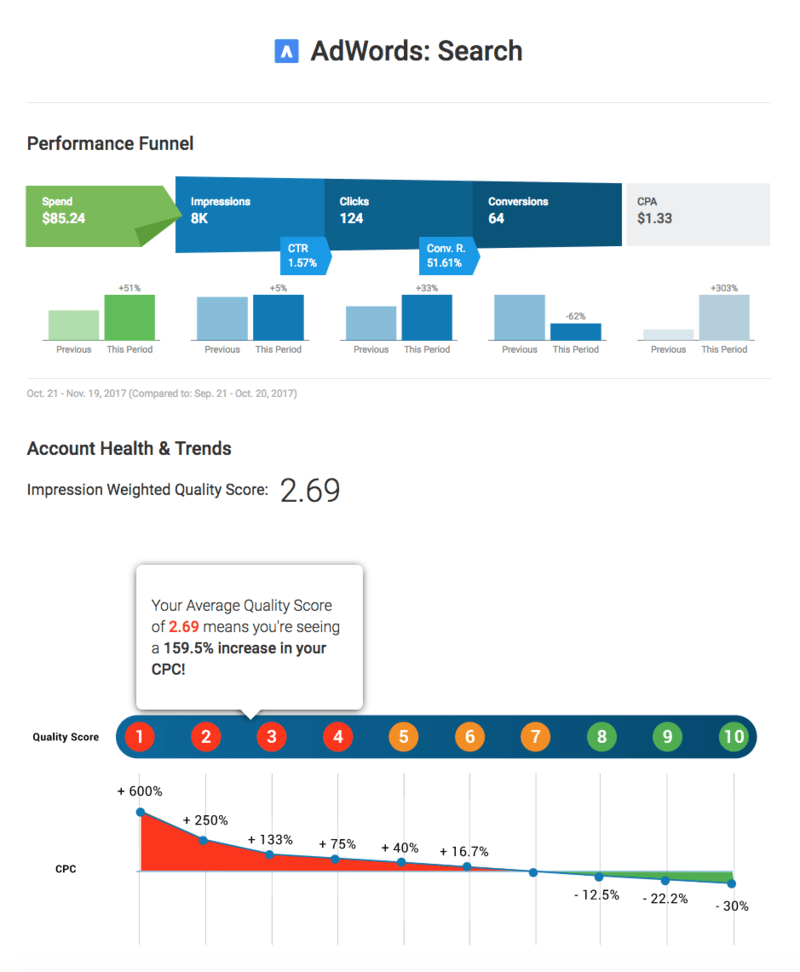
While your data and most reports will migrate to the new UI, some reports and rules have been modified or removed entirely. For example, the dimensions tab (a personal favorite) now resides within the reporting icon and is called “Predefined Reports.” Snazzy! Regarding rules, any rule that depends on a column no longer present in Google Ads will stop working. I won’t list them all because there are quite a few, but you can find more information here. Keep in mind that filters using these columns won’t be imported either.
Reports being discontinued include:
- Destination URL performance report
- Managed placement performance report
- Automatic placement performance report
- Placement report Reports that will remain but with substantial changes include:
- Reports with columns that no longer exist.
- Reports including child accounts no longer managed in your MCC.
- Reports using columns not yet compatible with Report Editor, such as: Historical quality score, Landing page experience, Exp CTR, and Ad relevance. Also, reports currently in .XLSX format will be converted to .CSV format.
#3: Familiarize Yourself With New Features
As mentioned, Google has been introducing new features since late last year that never made it to the old Google Ads UI. A clever tactic to conserve resources and entice users to try the new interface, right?
- Bid adjustments for calls – Make sure your call extensions appear more frequently!
- Showcase shopping ads – Feature your products in a new ad format that groups related items for powerful SERP domination.
- Audience manager – Streamlines targeting options across display and RLSA.
- Promotion extensions – Include limited-time offers and discount codes in your search ads.
- Ad variations – A/B test without manually creating countless headlines (and then implement the top performer).
- Outstream video campaigns – Engage audiences with video beyond YouTube.
- TrueView for action campaigns – Add calls to action and headlines to your existing video creatives. You’ve probably noticed that some of these features are more cosmetic (I’m looking at you, outstream video campaigns), while others have the potential to revolutionize your account.
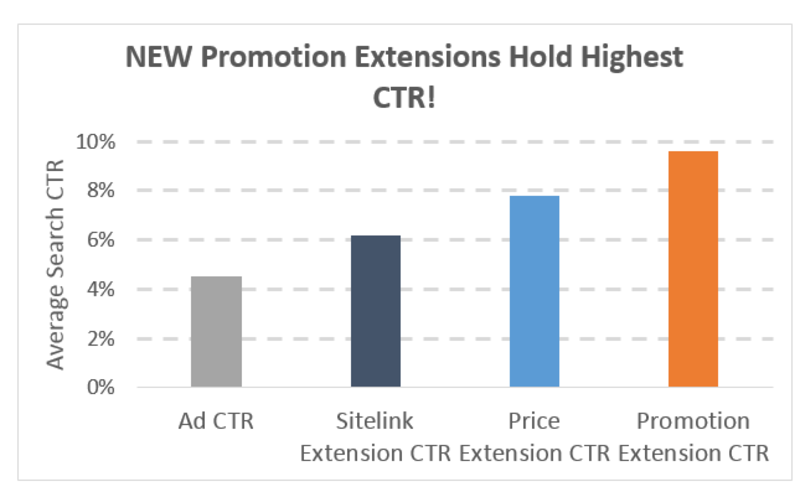
For instance, our data indicates that Promotion Extensions more than double click-through rates compared to standard search ads. I understand there might be a learning curve, but make sure to explore the features that didn’t exist in the old UI (and refresh your memory on the ones that did).
#4: Memorize the Quick (?) Reference Map
The most striking difference in the new UI is the layout, which is a significant departure from what you’re accustomed to. Navigation elements are arranged both horizontally and vertically, making it feel counterintuitive at first. Thankfully, Google has provided a sort of roadmap to clarify the organization and navigation:
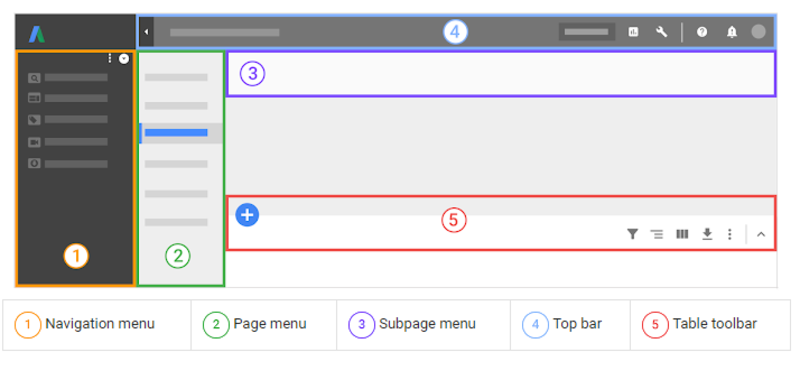
As you can see, navigation is split into five distinct sections, each with its own set of sub-navigational elements. You can download a printable document outlining the location of key features here. (I suggest printing it or keeping it visible on a separate monitor until you’re comfortable navigating to your most-used tools.)
#5: Dive In and Start Using the New Google Ads!
You’ve observed, now it’s time to take the plunge.
Transitioning to the new interface can feel overwhelming, but once you become familiar with it, the nested features and navigation become relatively user-friendly (I’ve been switching back to the old UI for larger tasks, so I have some adjusting to do as well).