Occasionally, the most effective paid media campaigns are those that embrace a minimalist approach. By leveraging negative audiences, we can strategically target the most relevant users and guide them through the conversion funnel. This approach also acts as a filter, preventing irrelevant traffic from encountering your ads. Striking the perfect balance between precise targeting and strategic exclusions can be instrumental in achieving your desired cost per acquisition and customer lifetime value.
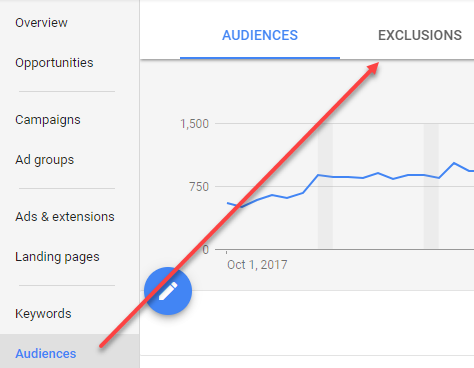
You might be thinking, “Joe, we’re already familiar with negative audiences.” That’s excellent! However, this isn’t about the commonly used exclusions like page visit, customer match, or previous converter audiences. Let’s delve into four Google Ads audience exclusions I rarely see implemented:
- Page visitors (on specific days)
- App audiences
- Site searches
- Event actions
1. Targeting Page Visitors Based on Specific Days
Black Friday is a prime example. Every savvy retail marketer understands its significance and prepares accordingly. However, I’ve managed e-commerce accounts where Black Friday wasn’t the growth driver it promised to be. While it generated a temporary surge in traffic, many visitors were solely interested in one-time deals or gift purchases, with no intention of returning. We still wanted to retarget engaged visitors but not those seeking those one-time deals. This led us to test a new remarketing audience exclusion. Within Google Ads Audience Manager, when defining your page visit audiences, you have the option to restrict list members to include page visits from specific dates.
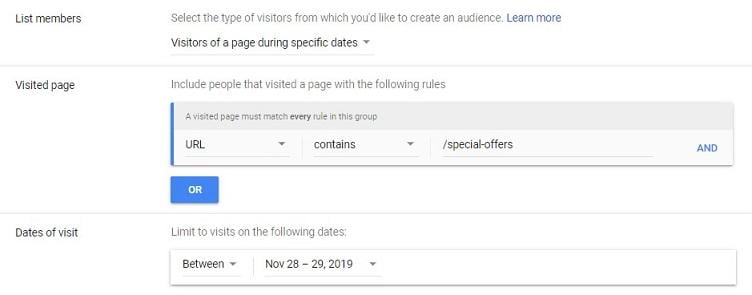
By implementing this strategy, we successfully removed low-LTV customers from the list for a short period while keeping our page visit audiences active. Remember, this is just one scenario. I’m not advocating for the exclusion of Black Friday sales dates from every account. Consider what’s relevant to your campaigns. Perhaps you want to exclude specific holidays or anticipate negative press and want to proactively exclude the expected surge in traffic. The key takeaway is that you have the power to omit certain dates if necessary.
2. Leveraging App Audiences
In my experience taking over accounts, I’ve encountered many with corresponding apps that lacked Google Analytics integration. This usually means remarketing ads are still being served to existing customers or those who have already downloaded the app – an inefficient use of resources. Thankfully, creating app user audiences in Audience Manager for exclusion in campaigns offers a simple solution.
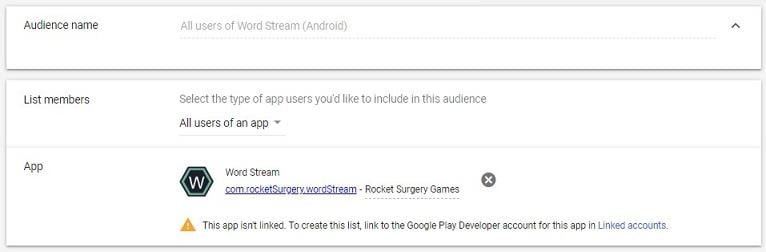
Excluding all users isn’t always necessary. We can refine our approach by targeting specific actions within the app. For instance, if your business or app operates on a freemium model, and your goal is to encourage free users to upgrade, you wouldn’t exclude all app users. Instead, you’d only exclude users who have already engaged in actions exclusive to paid users. Creating audiences based on specific in-app actions requires linking your app analytics platform to your Google Ads account (accessible under Tools & Settings). However, this additional configuration enables more focused remarketing campaigns with enhanced targeting and exclusion audiences from app users.
3. Utilizing Site Searches
I’m assuming you already utilize site search set up in Google Analytics. This invaluable tool reveals user search queries within your website’s search functionality, providing deeper insights into customer intent. We gain this data not just in the Google Analytics Site Search report, but also create Google Analytics audiences from site search queries.
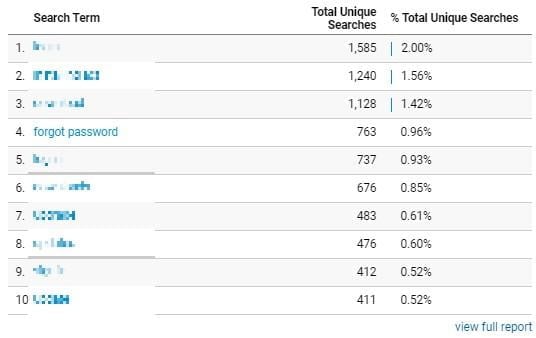
Consider the search term highlighted in the report. During this period, 763 users searched for “forgot password.” In most cases, remarketing to existing customers isn’t ideal. You might argue, “That’s what customer match exclusions are for.” However, customer match audiences don’t guarantee a 100% match rate. It’s always better to be cautious than sorry. So, let’s create a custom site search audience within the Audiences section in Google Analytics. Choose “Conditions” when setting up the new audience, then apply the Search Term filter. This will reveal all search queries from your Site Search report.
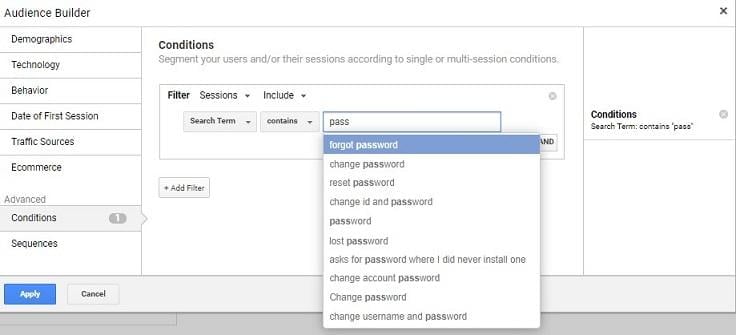
We can certainly add more users who simply forgot their passwords. The Site Search report is a valuable resource for understanding user intent on your website. While these audiences can be used for remarketing, they can also help exclude users searching for products, services, or topics irrelevant to your Google Ads campaigns.
4. Harnessing Event Actions
Building upon the concept of user intent, Google Tag Manager is an effective tool for understanding user actions through a variety of trackable tags. These actions are then logged as events in Google Analytics. Let’s illustrate with an example:
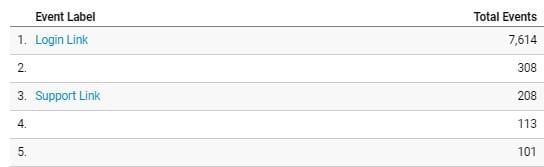
For this particular client, we aimed to exclude users navigating to the login and support pages, which were hosted on an application without Google Analytics integration. Due to legal reasons, obtaining a list of email addresses for upload to Google wasn’t feasible. Our best option was to track users attempting to access these pages through event clicks. Similar to creating Google Analytics audiences based on site search queries, we can do the same with event categories, actions, or labels.
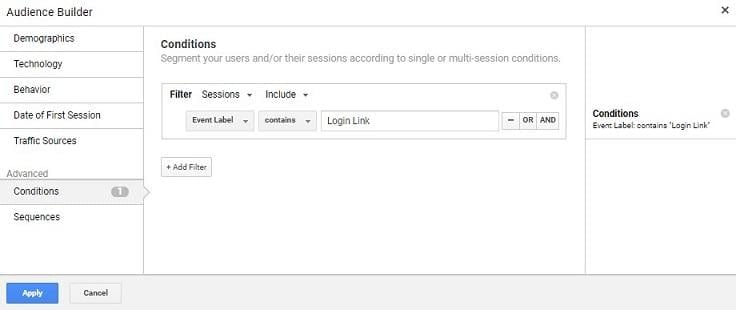
Event tracking audiences offer even more options and strategies. Here are two more worth considering for exclusions:
- Drop-Down Menu Choices: By employing the track selection custom HTML tag from Simo Ahava, we can capture user selections within drop-down menus on your website or forms. For example, if your form asks users about their product interests before newsletter signup, you can create a remarketing audience for selected options and exclude the rest, maintaining highly focused interest audiences.
- Low Engagement Audiences: By leveraging the Scroll Depth trigger, you can create events based on user scroll depth on your pages. If users arrive at your site without interacting or scrolling, they’re likely not interested in your offerings. Excluding them from your targeting is a wise move.
Prioritizing User Intent and Campaign Goals with Google Ads Audience Exclusions
I’ve shared four of my preferred audience types to exclude within Google Ads campaigns. Remember, whether you adopt these specific exclusions or others, aligning with user intent and campaign goals is crucial. Focus on excluding users who won’t contribute to converting the right audience for each campaign. What are some of your preferred audience exclusions? Share your insights in the comments below!