Facebook’s self-serve PPC ads manager is highly advanced, offering numerous campaign objectives and best practices. This specificity, however, can overwhelm new or infrequent users of Facebook’s Business Manager.
To simplify things, let’s examine three common Facebook advertising challenges:
- Ad scheduling (dayparting)
- Ad rotation settings
- Campaign Budget Optimization (CBO)
1. Scheduling Facebook Ads (Dayparting)
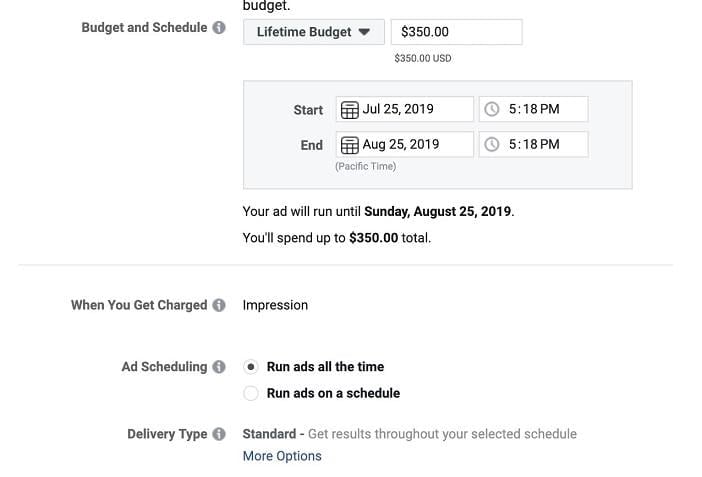
Dayparting, a valuable tool in search campaigns, is less straightforward on Facebook. Your ability to schedule ads hinges on your budget choices: daily or lifetime. Ad scheduling requires lifetime budgets. Daily budgets don’t support scheduling, and campaigns can’t be switched from daily to lifetime budgets once published. If you need to schedule ads for a daily budget campaign, you must create a new campaign with a lifetime budget. After selecting “Lifetime Budget” in the ad set builder, choose the “Ad Scheduling” button.
This opens a builder where you can select ad running times, displayed in blue.
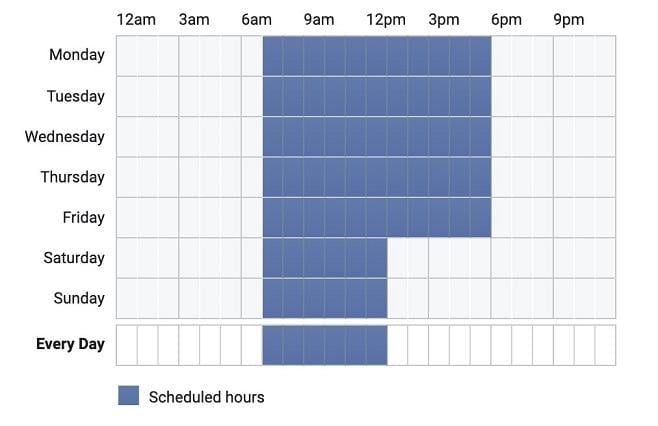
For quick selection, click “Every Day” to apply the same hourly block to all days. Holding the shift key (on a Mac) while clicking multiple spaces highlights the entire range.
2. Ad Rotation Challenges
Many Facebook advertisers, often with search advertising backgrounds, express frustration with uneven ad rotation. In search campaigns, there’s usually an option like:

Facebook lacks this feature, resulting in uneven ad tests:
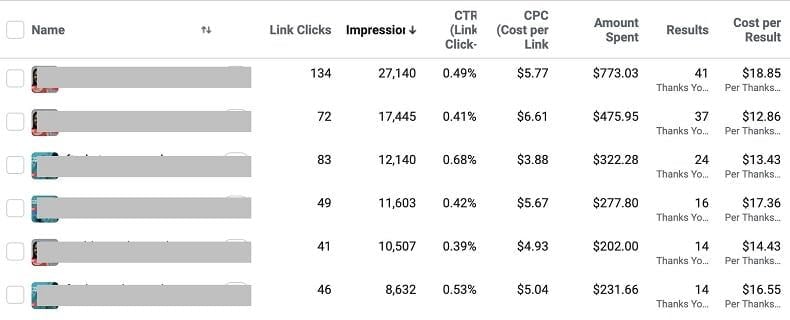
Facebook prioritizes the ad it deems best-performing early on, regardless of actual conversion data. The example highlights this issue; Facebook’s favored ad wasn’t the top performer based on CTR and cost per conversion. The solution? Split testing. Facebook’s creative split testing, similar to Google Ads Campaign Experiments, offers a simple setup. Create your campaign as usual, but when selecting creatives, choose up to five ad variations for even testing within Facebook Ads. Here’s the process: When creating a campaign, select “Create Split Test,” then choose “Creative” as the test variable.
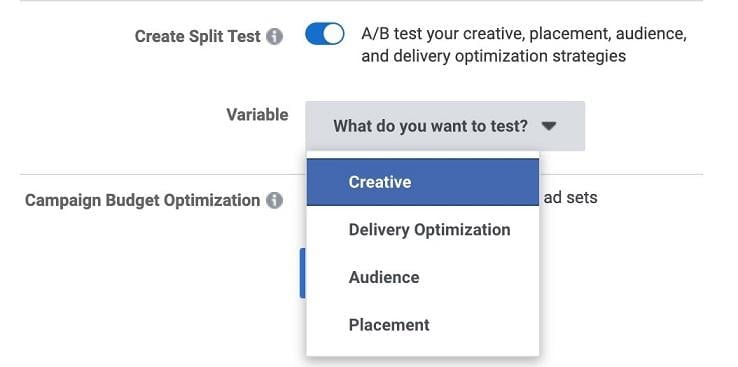
Next, configure your ad set settings. Finally, set up each ad; each appears in its own ad set. You can test up to five variations per creative test (labeled “Ad A” to “Ad E”).
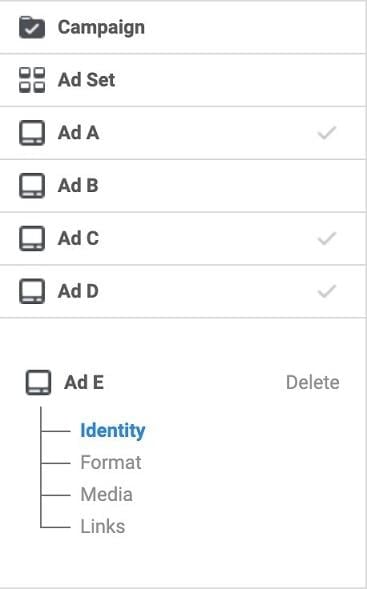
While not a permanent fix (due to campaign duration limits), split testing helps identify statistically significant winners.
3. Campaign Budget Optimization (CBO)
With CBO becoming mandatory for all Facebook advertisers starting in September 2019, let’s address concerns about budget allocation. The main worry is one ad set monopolizing the budget, sidelining lower-volume ad sets. While valid, this can be addressed through structure and settings.
Campaign Structure Adjustments
Restructuring campaigns, the simpler but less elegant approach, can resolve this issue. Since budgets are at the ad set level in Facebook, CBO shifts them to the campaign level (like other platforms), making control via ad sets harder. Restructuring can solve this. For instance, three ad sets become:
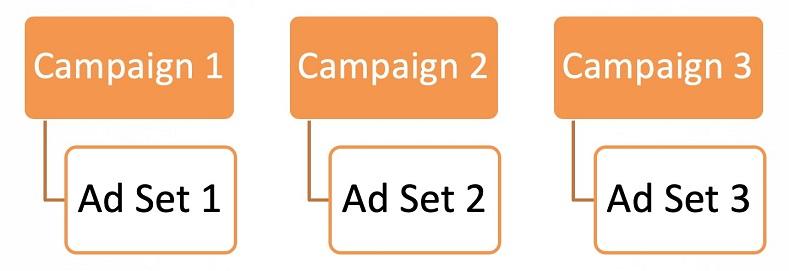
Now, three campaigns with one ad set each ensure even budget distribution. While effective, this approach bloats your account with single-ad set campaigns and bypasses CBO’s real-time budget optimization based on performance.
Budget Minimums and Maximums
A preferable option, using ad set level minimums and maximums within a CBO campaign, allows for more control. In the ad set settings, under “Budget & Schedule,” click “Show Advanced Options.”
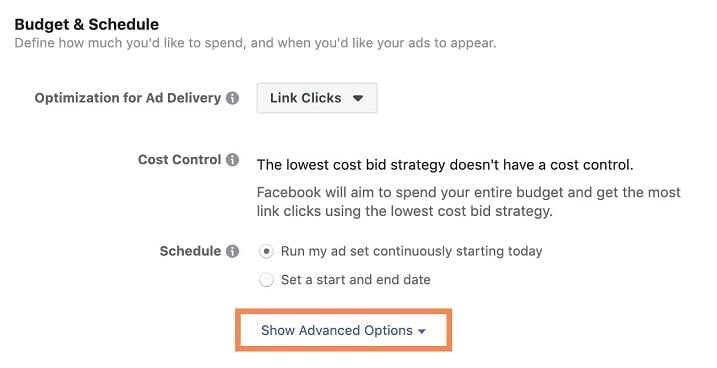
This reveals additional settings, including “Ad Set Spend Limits.” Click “Add spend limits to this ad set” to open the editor.
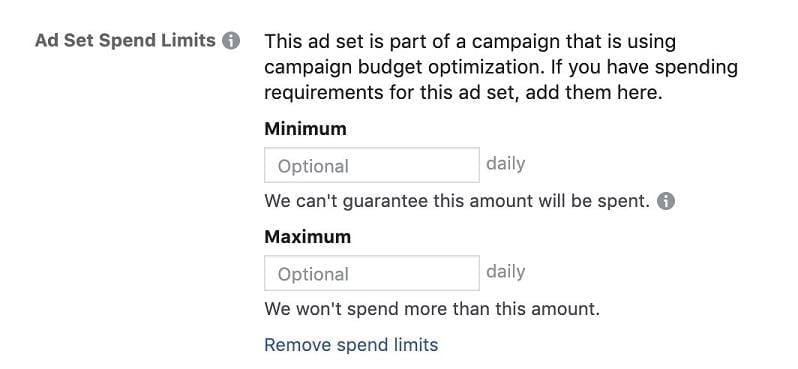
Now, set daily spend minimums or maximums for each ad set. Disclaimer: Avoid using these limits for 100% budget control. Instead, control around 75%, allowing Facebook to optimize the remaining 25% in real-time. Here are two examples: To ensure even distribution across three ad sets, divide your total budget by three and set that amount as the minimum for each ad set. If concerned about one ad set dominating the budget, set a maximum spend limit for it, allowing others to utilize the rest as determined by Facebook. If minimums and maximums don’t yield desired results, consider restructuring your campaigns as explained earlier.
The CBO Catch
CBO and split testing are currently incompatible.
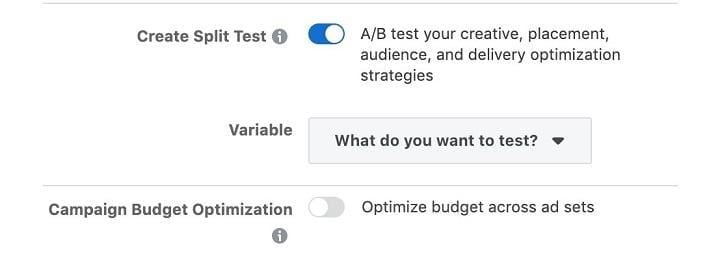
While we must keep these functions separate for now, Facebook might soon integrate them.
Leveraging Facebook Ad Strategies
Facebook’s advertising platform, though powerful, can be perplexing when it doesn’t behave as expected. These three strategies aim to mitigate common frustrations, allowing you to focus on campaign optimization.