When individuals encounter the phrase “Google Ads Scripts,” they often become disinterested.

It’s understandable – the term sounds both tedious and technical. However, many people fail to realize that getting started with Google Ads Scripts is surprisingly simple, even for those who aren’t tech-savvy and don’t have a passion for coding. Moreover, it’s incredibly beneficial. Intrigued? Continue reading to discover three ways you can utilize Google Ads Scripts. I’ll explain the advantages and disadvantages of each option and provide some sample scripts to help you begin. Let’s dive in!
Option 1: Utilize Publicly Available Google Ads Scripts
In other words: the classic Ctrl+C, Ctrl+V method. If you have no technical expertise, you can easily search for scripts written by others to get started. Numerous Google Ads Scripts are available, and most can be modified to suit your requirements.
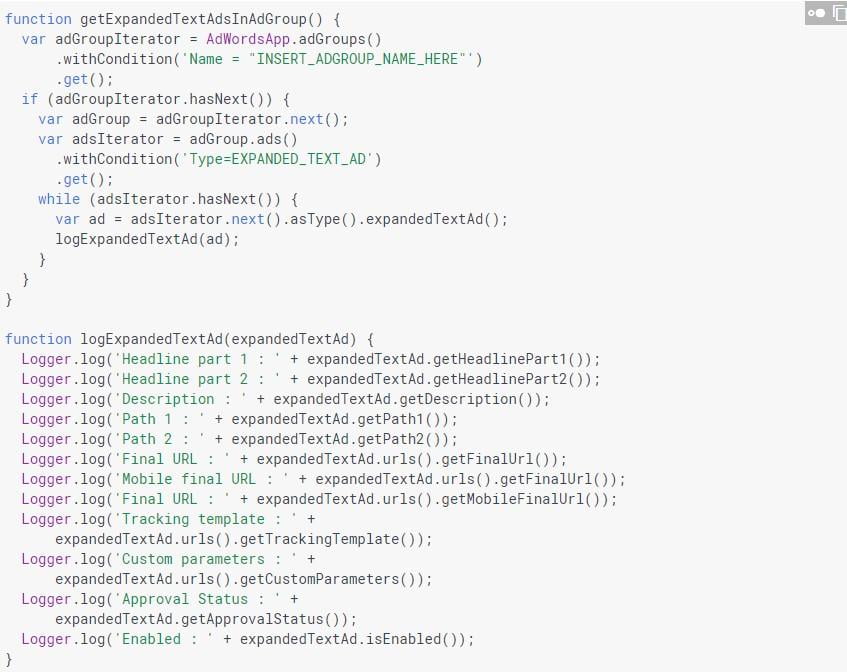
To get you started, Google offers a library of code snippets. Of course, free and easy solutions often come with drawbacks. Before you begin copying and pasting into your account, it’s crucial to consider the pros and cons of this approach. Advantages:
- This method offers a quick start; simply follow these steps, and your first script will be running in under 5 minutes.
- Many scripts are completely FREE.
- Many scripts come with use cases that clearly explain how you can benefit from them. Disadvantages:
- The number of available scripts is limited. As you become familiar with the possibilities and realize that Google Ads Scripts can achieve almost ANYTHING, you’ll likely encounter use cases not covered by the free options.
- Many freely available scripts are not maintained or supported, meaning the code may be outdated or malfunctioning.
- If you merely copy and paste scripts without comprehending their code, you’re essentially operating blindly. Can you be certain that the script will only perform the desired actions and nothing more? If you’re short on time and need a quick solution, utilizing publicly available scripts may be your best option.
Here’s a simple guide:
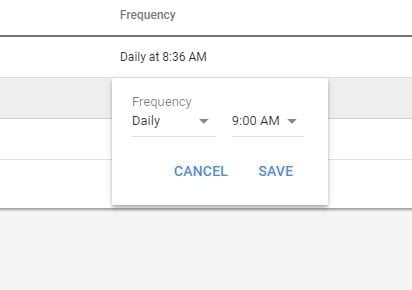
Step 1: Determine the script you want to use. (Explore this bumper list of publicly available scripts and start with the best Google Ads script I’ve ever used.) Step 2: Log into your Google Ads account, click the tool icon (wrench), and navigate to Bulk Actions > Scripts. Step 3: Click the “+” icon and paste the code into the editor. Step 4: When prompted, click “Authorize.” Click “Preview” to ensure everything is correct, then save the script. You can either click “Run Script Now” or schedule the script. Choose your script from “Bulk Operations,” then click “Create Schedule.” Set the desired frequency, click “Save,” and you’re done.
It’s that simple!
Option 2: Create Your Own Google Ads Script
If copying and pasting existing scripts isn’t appealing, consider writing your own.
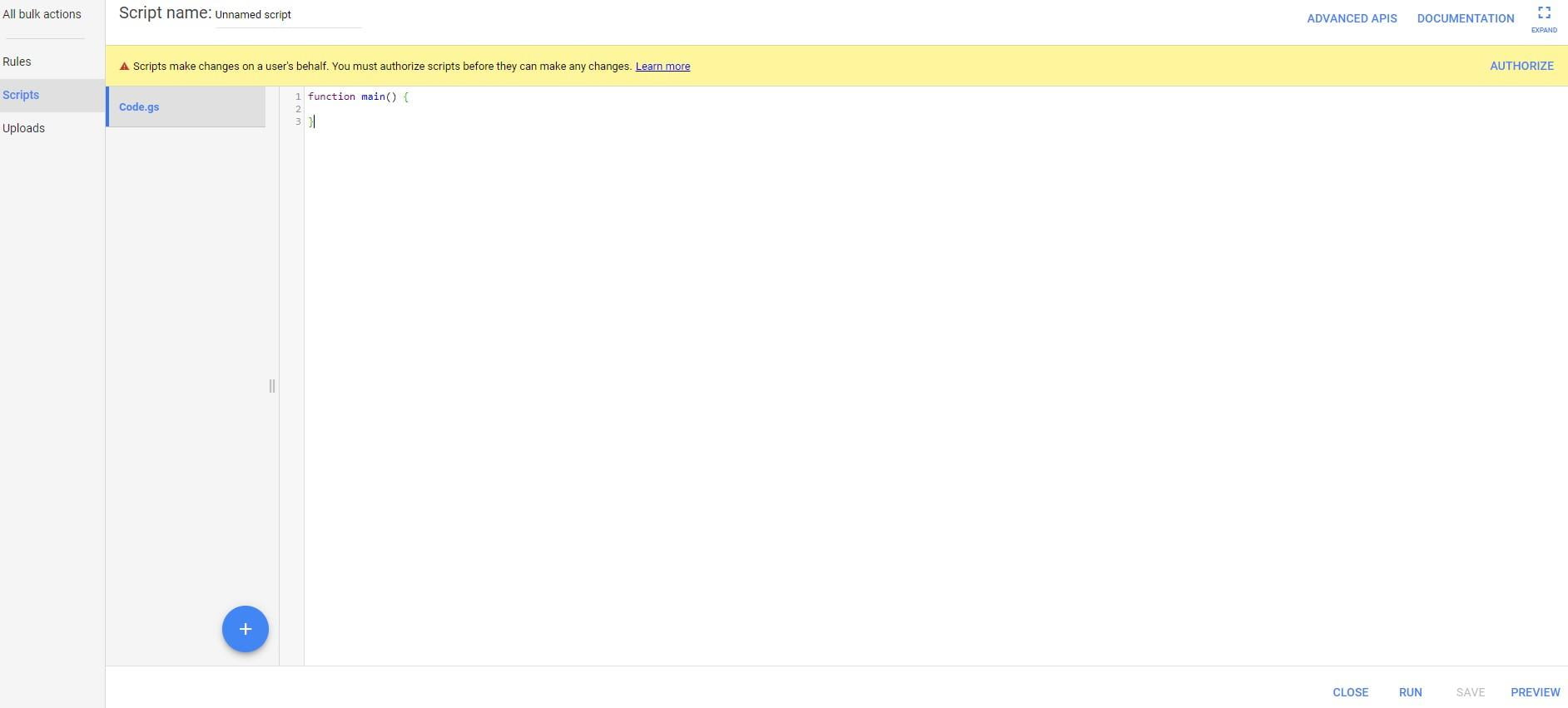
While you’ll start with a blank slate and face a learning curve, having this new skill will definitely do great things for your career. Advantages:
- You can tailor your script to your specific requirements. Need to automate repetitive PPC tasks or streamline processes unique to your business? You can achieve all of that and more with a custom script.
- You have complete control; the script performs exactly as intended.
- It’s practically free, with the only cost being your time. Disadvantages:
- Programming skills and JavaScript knowledge are necessary. If you’re a complete novice, it may take time to develop the proficiency needed to write scripts independently.
- Once your script is complete, you’ll need to invest time in maintaining its code, which can be tedious. Ready to embrace the challenge of writing your first script?

Fortunately, numerous free resources can help you learn how. Here are some worth exploring:
- This excellent first script example
- Google’s Google Ads Scripts documentation and resources
- Google’s Google Ads Scripts community (seek assistance here if you get stuck)
- Google’s Google Ads Scripts workshops (held at various global locations) If you’re new to coding, I recommend taking a beginner JavaScript course before attempting to write your first Google Ads Script. Trust me, understanding JavaScript basics will significantly simplify your Google Ads Script journey. The best part? You can learn JavaScript online for free. Codecademy offers a fantastic introductory course.
Option 3: Outsource Your Google Ads Script
Perhaps you’ve attempted coding but found it incomprehensible.

Maybe you’re overwhelmed with tasks and already working late nights to manage your business. Writing your own script isn’t always feasible. Don’t worry – you can always hire a freelancer. Advantages:
- Once again, your script can be tailored to your precise needs. The possibilities are endless!
- You won’t need to write any code yourself. Disadvantages:
- Finding a skilled programmer who understands Google Ads is crucial.
- Effective communication with your programmer is essential.
- You’ll need a budget (the amount depends on the complexity of the script). Interested in outsourcing your Google Ads Script?

Upwork offers excellent freelance JavaScript developers who specialize in Google Ads. Connect with potential candidates, discuss the project scope, deadlines, and hire your ideal freelancer. There you have it – three ways to start with your first Google Ads Script.
Final Tip:
Your first Google Ads Script doesn’t have to be flawless. Consider it a work in progress that can be refined later or adapted to your evolving needs. As long as it doesn’t cause any issues, it’s already a significant accomplishment. Stop delaying and commit to creating your first Google Ads Script today!