Larry Kim and Will Critchlow of Distilled recently presented a comprehensive webinar, sharing their personal approaches to keyword research. The webinar provided a deep dive into the topic, and for those interested in exploring further, the slides and video are available at the end. For now, let’s focus on three insightful takeaways from the webinar. These clever strategies can significantly enhance your keyword research process, especially if you’re aiming for more than just plugging a seed term into a keyword tool.
#1: Generate Content Ideas with Google Suggest Wild Cards
Will highlighted a tip he learned from Distilled’s Tom Anthony. You’ve likely used Google Suggest for keyword research before, but this technique stands out because it enables you to discover suggestions that extend beyond the end of your typed phrase. Let me explain: typically, as you start typing a search query, Google offers suggestions to complete it:
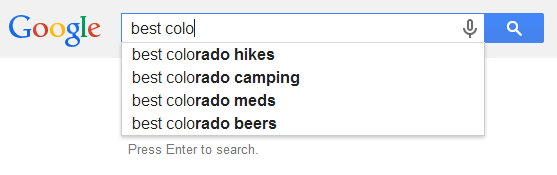
These Google suggestions stem from actual content on the web. Google aims to connect searchers with relevant content. For marketers, this is invaluable as it reveals existing content within your niche. If you lack content on these topics, it might be time to create some. But what if you need suggestions for terms appearing at the beginning or middle of a keyword phrase? That’s where wild cards come in. An underscore character placed anywhere in your search query prompts suggestions that fill that blank. For instance:
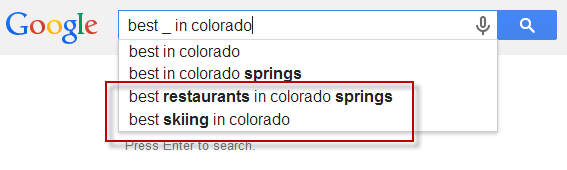
This technique could be incredibly useful for a Colorado-based lifestyle blog to uncover fresh content ideas. Here are a few more examples for inspiration:
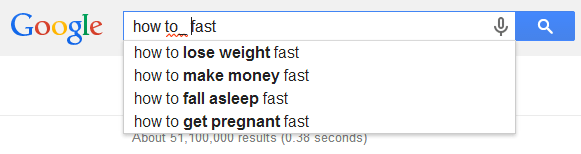
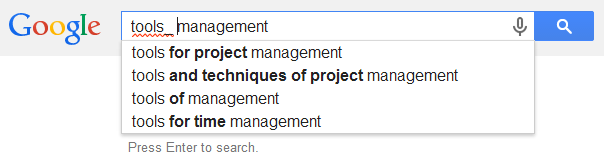
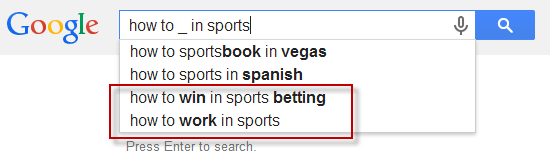
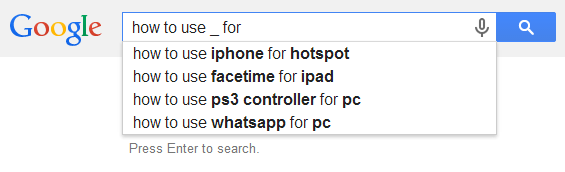
Quite impressive, isn’t it? (Keep in mind that not every wild card search will yield results – sometimes there’s insufficient search volume, and Google reverts to its standard suggestions.)
#2: Borrow Keyword Group Ideas from Your Role Model’s Home Page
I prefer saying “imitate your heroes” over “steal from your competitors” – it sounds more ethical. Identify websites in your niche that you admire for their consistent success. In the world of web marketing, Moz and Buffer are two blogs I hold in high regard.
Keyword Planner offers a handy feature: input a URL to see keywords driving traffic to that site. While intended for analyzing your own website, you can actually use any URL!
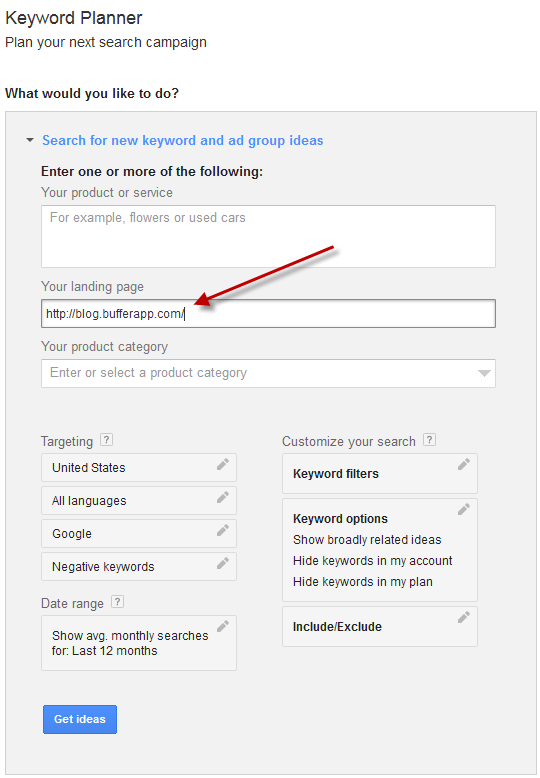
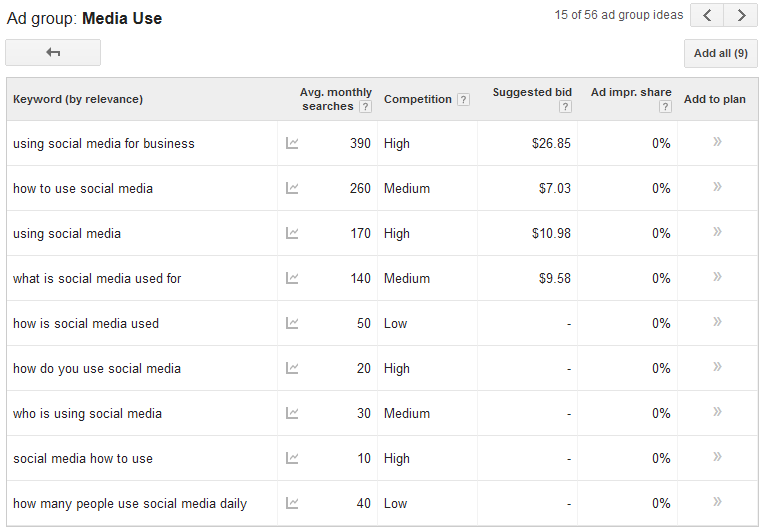
While I usually prioritize the “keyword ideas” tab, for this exercise, I favor the “ad group ideas” tab. The goal here is to uncover topic themes, not analyze individual keyword search volumes.
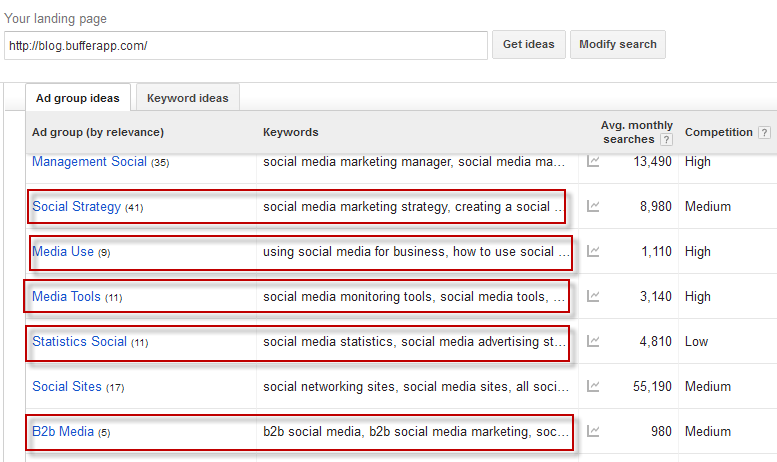
Many of these look promising right away. Delving into a specific group provides a clearer understanding of searcher intent. (Intent should always guide your content strategy.)
Before targeting a topic, remember to Google some of the keywords to see what’s currently ranking on page 1. To outrank existing content, you need to create something even more valuable.
#3: Determine Keyword Priority with Larry’s Secret Competitive Index Formula
The webinar featured Larry sharing his formula for prioritizing keywords and content creation, aptly named “Larry’s Priority.” It works like this: multiply the monthly search volume for a keyword by its suggested bid, then divide the result by the keyword’s competition level. This formula helps gauge the feasibility of targeting keywords with high commercial value. You ideally want keywords with decent search volume for better traffic potential. However, targeting the most competitive keywords might not be the best strategy due to the difficulty in ranking for them. The goal is to find a balance. It’s worth noting that Keyword Planner doesn’t display a numerical value for “competition level” unless you export the keyword plan as a CSV. Instead, you see “high,” “medium,” or “low.” Downloading the plan into a spreadsheet reveals the competition level as a value between 0 and 1, as shown in the highlighted column below:
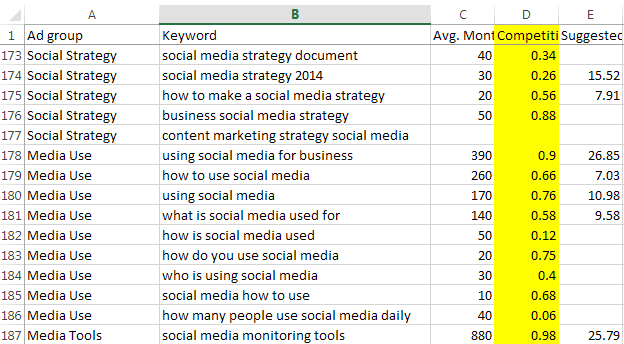
Let’s apply the formula to a few keywords. For “using social media for business,” the average monthly search volume is 390, the suggested bid is $26.85, and the competition level is 0.9. Therefore: 390 * 26.85 / 0.9 = 11635 For “how to use social media,” the average monthly search volume is 260, the suggested bid is $7.03, and the competition level is 0.66: 260 * 7.03 / 0.66 = 2769.39 For “using social media,” the average monthly search volume is 170, the suggested bid is $10.98, and the competition level is 0.76: 170 * 10.98 / 0.76 = 2456.05 Using another example outside this ad group, “social media monitoring tools” has a volume of 880, a suggested bid of $25.79, and a competition level of 0.98, resulting in a “Larry’s Priority” score of 23158.37. Ranking these keywords from high to low based on Larry’s number gives us:
- social media monitoring tools
- using social media for business
- how to use social media
- using social media The highest number represents the keyword with the greatest potential return. If you have a strong domain and can easily rank for competitive keywords, start at the top. Newer, smaller sites with less authority might want to begin in the middle of the sorted keyword list. These keywords might not be the “heavy hitters” in your niche, but they offer less competition and a better chance of ranking. You might also like: 5 Tips for E-Commerce Keyword Research
Watch the Complete Keyword Research Webinar
Eager for more insights? Access the complete webinar slides here: nexus-security & Distilled Present: Proven Keyword Strategy for Search Engine Success! [Webinar] from Internet Marketing Software – nexus-security Or watch the video below: