Although AdWords provides a wealth of data, sifting through it can feel overwhelming. It’s easy to lose sight of what truly matters: identifying effective strategies, pinpointing wasted spend, and recognizing areas for growth. To simplify this process, here are a few straightforward AdWords reports that can help you extract key insights and make informed decisions quickly. MORE: How to Make A High-Quality AdWords Report in 15 Minutes [Free Template\
AdWords Report #1: Top Vs. Other
Where To Find It
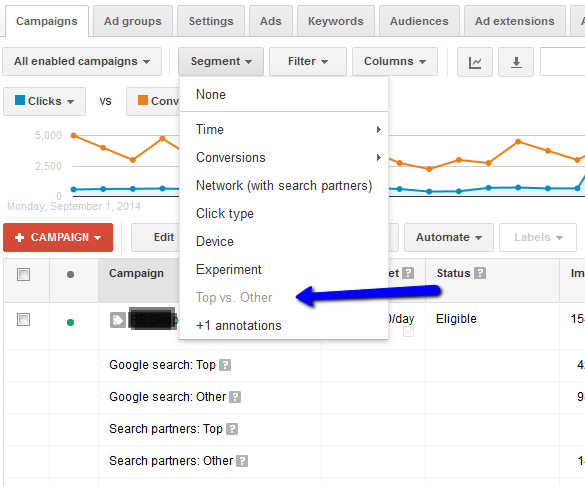
This report is accessible in the “Segment” drop down, within the campaign, ad groups, keywords, and ads tabs.
What It Shows
This report provides a performance comparison between ads displayed in “Top” positions (typically 1 to 3) and “Other” positions (generally to the side or below search results).

How It Helps You
Contrary to common belief, securing the top position isn’t always the most effective strategy. It can be costly, and for budget-conscious advertisers, it might limit overall conversions. This report reveals the optimal positions for your ads. By analyzing CPA and conversion rates across different positions, you can determine the most profitable placement. For example, the image above demonstrates a substantially lower CPA and a significantly higher conversion rate for “Other” positions compared to “Top” positions. Armed with this knowledge, I can adjust bids to target these “Other” positions for better return on investment.
AdWords Report #2: Top Movers
Where To Find It
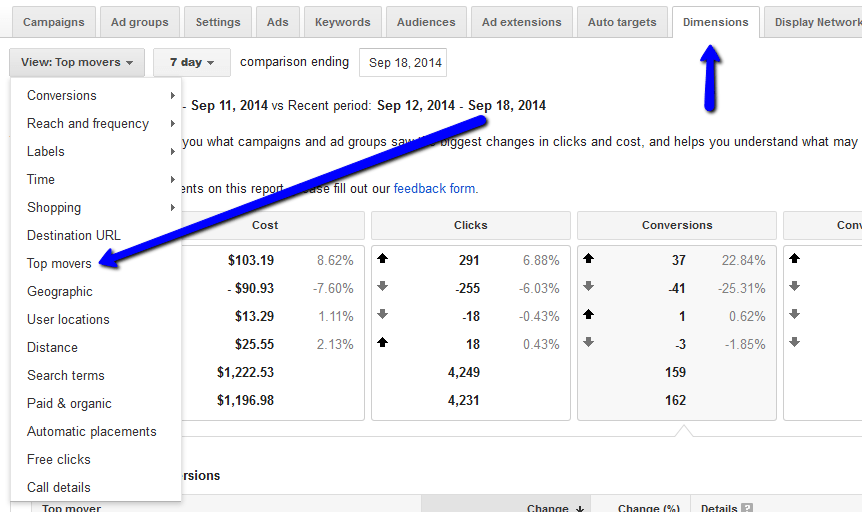
Accessible only at the account level, the “Top movers” report can be found in the “Dimensions” tab, under the “View” drop down.
What It Shows
This report highlights performance fluctuations and their origins. It compares the current period (selectable as 7, 14, or 28 days) to the preceding period, categorizing changes in Cost, Clicks, Conversions, and Converted Clicks. This allows you to quickly identify increases or decreases in each area.
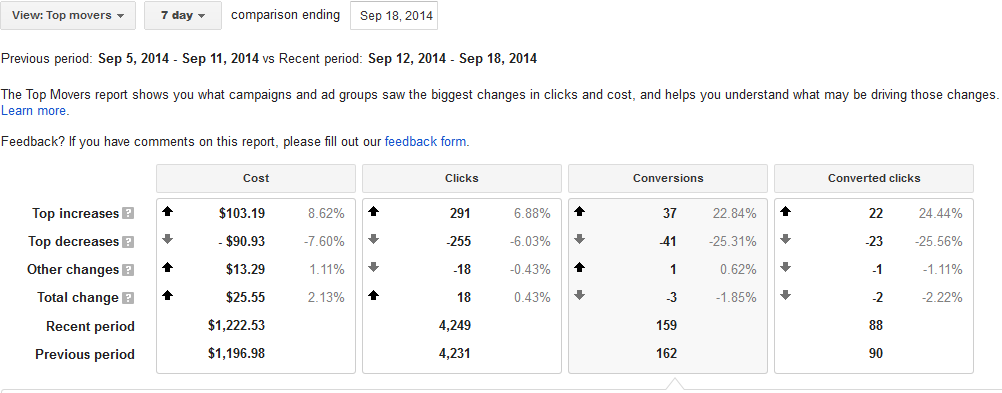
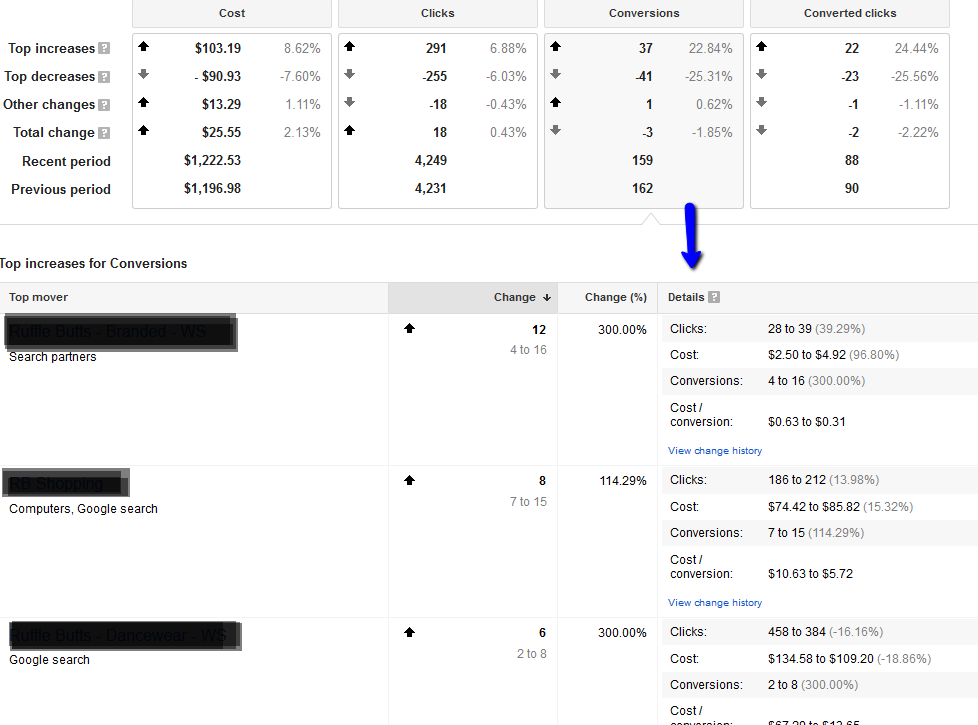
Upon selecting a category, the report delves deeper, providing a breakdown of performance shifts by campaign, ad group, network, and even device. It further details changes in impressions, CTR, position, and CPC.
How It Helps You
Identifying the root causes of performance changes, whether positive or negative, within your account can be challenging. This report streamlines the process, presenting a clear overview without the need for numerous individual reports and charts. You can then prioritize your optimization efforts, focusing on areas experiencing conversion or click losses, or those with inflated spending.
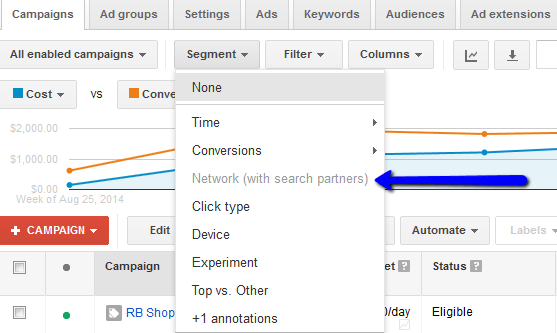
AdWords Report #3: Networks (With Search Partners)
Where To Find It
Located in the “Segment” drop down, this report is available within the campaign, ad groups, keywords, and ads tabs.
What It Shows
This report offers a clear view of performance across different ad networks, including “Search Partners.”

How It Helps You
While search and display campaigns should be separate, “Search Partners” campaigns lack this separation. In most cases, search partners function similarly to Google Search, albeit with a generally lower CTR. However, monitoring “Search Partners” performance within each campaign is crucial to ensure CPA alignment with your goals. If performance is unsatisfactory, and spending is high without commensurate returns, consider deactivating it within settings. Unfortunately, selective partner exclusion or bid adjustments aren’t possible – it’s an all-or-nothing scenario.
For further assistance with reporting, explore 4 Incredibly Useful YouTube Studio Reports You Won’t Find in Google Ads.