Search engine optimization (SEO) is multifaceted. Working on different parts of our digital marketing plan can indirectly benefit how well our web pages do in search results. This includes our social media approach and efforts to enhance our web pages’ social signals.
While social signals and SEO have an indirect connection (meaning better social signals won’t automatically equal higher rankings), boosting social media presence is definitely tied to SEO efforts. This is why understanding and utilizing this relationship is crucial for digital marketers.
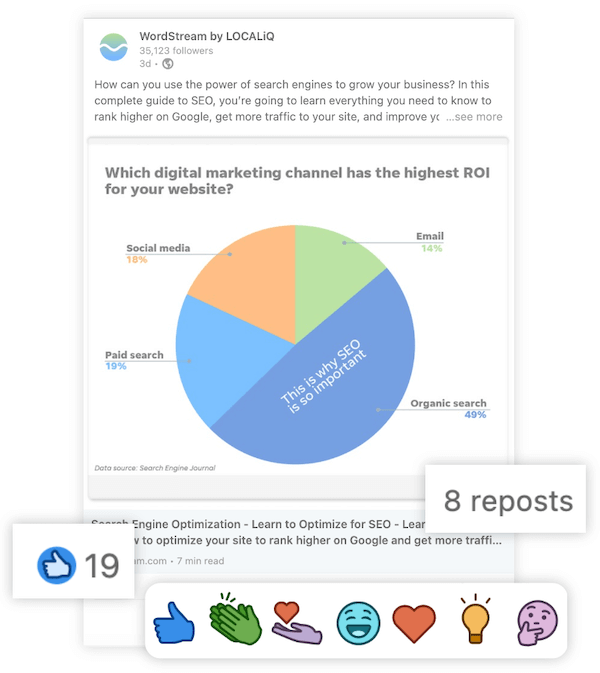 This article will explain the basics of that relationship. Learn how social signals affect SEO and ranking, and how you can enhance them.
Table of contents
- What are social signals?
- Are social signals a Google ranking factor?
- How do social signals impact SEO?
- 10 ways to improve your social signals for SEO
What are social signals?
Social signals are essentially any interaction with a social media profile or its posts. From a social media marketing perspective, these are just engagement. But for SEO, they’re signals that help search engines like Google understand a user’s, profile’s, or post’s identity, reach, and trustworthiness.
Considering all the different social platforms, many metrics qualify as social signals. Here are common ones by platform:
- Facebook: Follows, likes, dislikes, comments, shares, views
- Instagram: Follows, likes, shares, favorites, saves.
- Twitter: Follows, Tweets, Retweets, Quote Tweets, replies
- Pinterest: Follows, pins, views
- LinkedIn: Connections, likes, comments, shares
- Reddit: Upvotes, comments
Are social signals a ranking factor?
Google considers over 200 factors when ranking web pages. But many SEO experts don’t fully agree on the role of social signals, partly due to Google’s mixed messages.
2010: Google says yes…sorta
In this brief Google Search Central video from 2010, a viewer asks if Google uses Twitter and Facebook links (e.g., twitter.com/nexus-security) to determine ranking, referencing a [recent at the time] article by Danny Sullivan. Google’s Matt Cutts replies: “We do use Facebook and Twitter links in ranking as we always have…but in addition, we’re also trying to figure out a little bit about the reputation of an author or creator on Twitter or Facebook.” He adds that (back then) they mattered more for real-time searches, and engagement quality trumped quantity.
2014: Google says not really
In another Google Search Central video from 2014, someone asks if Facebook and Twitter signals are ranking factors and how much they matter. Matt emphasizes that since these pages constantly change with user updates and posts, Google focuses less on extracting signals (likes, comments, shares) from them.
2022: Google says it’s a quality indicator
By 2022, Google clarified its efforts to grasp authority of an author or creator via social media. A web page creator’s reputation is increasingly vital for organic SEO, and Google analyzes social profiles to understand authorship better.
So, while complex, we know Google pays attention to website social pages and content creator profiles. Anyone wanting to rank higher in organic search should too.
How do social signals impact SEO?
SEOs still rely on research and testing to determine the exact impact of social signals on SEO. Despite industry debate, we can make solid deductions about social signals’ indirect impact on ranking based on how confirmed ranking factors intertwine with a website’s social media presence.
Social media profiles can rank
Google indexes social media profiles, meaning they show up in search engine results.
Since Google wants to link websites with their social pages, we can be sure it seeks signals connecting our websites to specific profile URLs.
While less crucial for ranking target keywords, branded search results matter for your SEO reputation management strategy. Googling your business name likely shows your Facebook, LinkedIn, or Twitter page on page one.
For Twitter, Google shows the three latest tweets in the search results (it doesn’t display likes or retweets though).
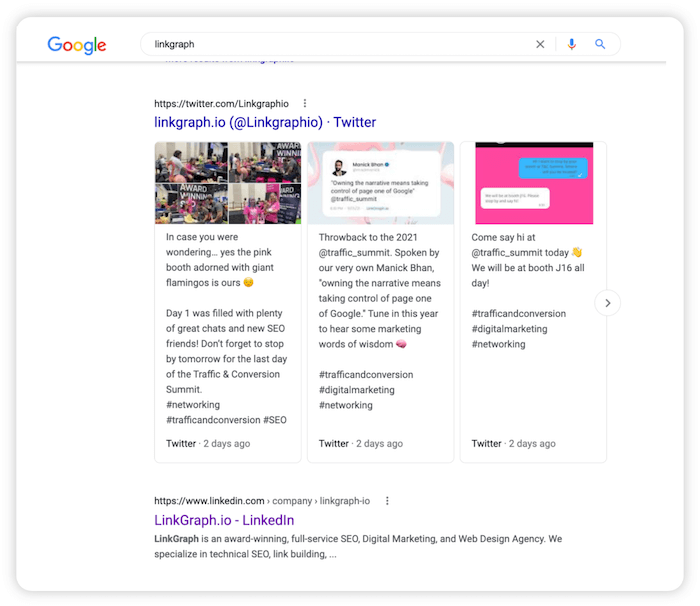 A positive strong social media presence in search results builds audience trust, meaning more clicks if they see your web pages in organic search later.
More social shares can result in more backlinks
Throughout search engine history, backlinks have always been the top ranking factor.
But a Tweet linking back to a web page doesn’t provide the same link equity as a backlink on another website.
However, content shared on social media means more traffic and exposure, increasing the chance someone finds it valuable and links to it.
Being seen is the first step to getting backlinks. Social media helps you achieve this, making it a potential part of your link-building strategy.
Quality content does well on both social and search
Imagine a web page shared thousands of times, racking up hundreds of thousands of likes, comments, and engagements. Such social proof indicates valuable content.
Well-ranking web pages often have strong social signals. But correlation isn’t causation. We can’t assume Google uses those signals to judge quality and determine ranking.
However, quality content is rewarded on social media and by Google, whose algorithm emphasizes EAT (expertise, authority, trust).
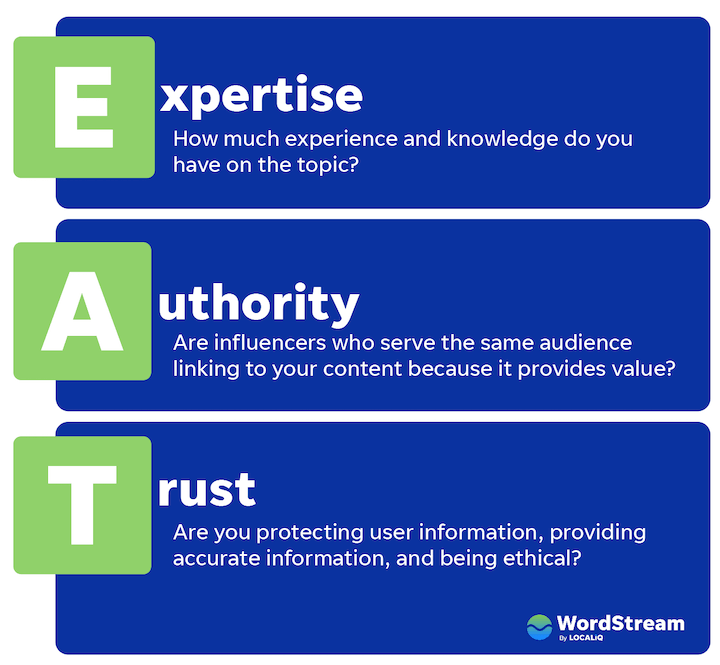 Creating quality content, sharing it on social media, and optimize for organic SEO improves visibility and performance in both channels.
10 tips to improve your social signals for SEO
Because of these connections, boosting social signals can positively impact your SEO and other digital marketing areas.
Here are tips for improving social signals to generate those indirect benefits and enhance your web pages’ overall online visibility.
1. Link your website & social media profile pages
As mentioned, Google aims to connect websites with their social media accounts.
Make this easier by linking your website to your social profiles, and vice versa.
This is basic but crucial. SEOs used social media schema to tell Google about social pages, but it’s no longer used.
So, enable easy automatic connection identification through reciprocal linking.
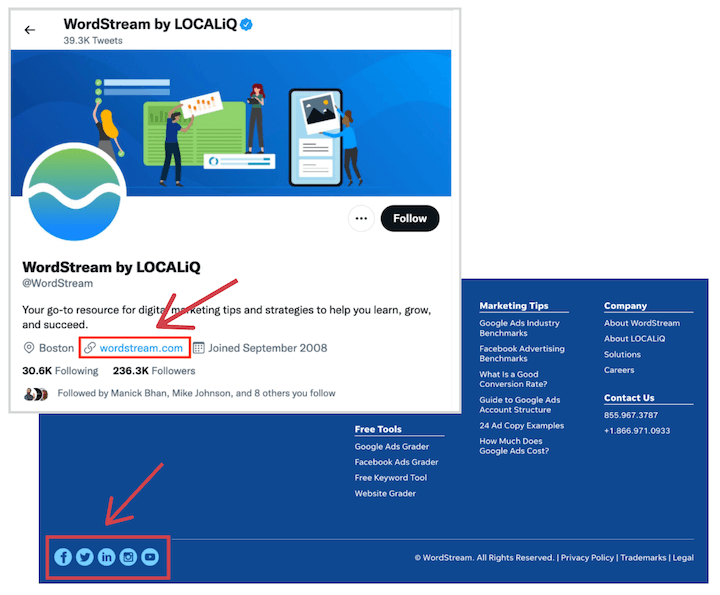 Avoid placing social links on your homepage to prevent pulling clicks from CTAs or forms. The website footer is ideal for social links.
These links also enhance user experience. Whether someone finds your website or social page first, they can easily find other important brand URLs.
 Fun fact:
Our Free Website Grader will check for links between your website and social profiles. Try it now!
2. Optimize your social profile pages
Like web pages, your social profiles benefit from on-page optimization.
Include target keywords in your About Us, Services, Products, or other editable sections to help Google understand your website’s relevance to those keywords.
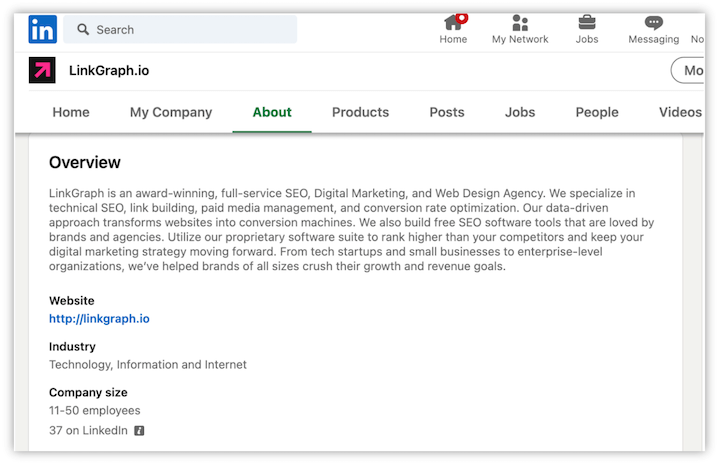 Complete every profile section, as Google crawls and analyzes this content to understand your business. Each section offers more chances to add relevant keywords.
3. Claim your Knowledge Panel
Google Knowledge Panels are a search result feature summarizing key brand information, including social media profiles.
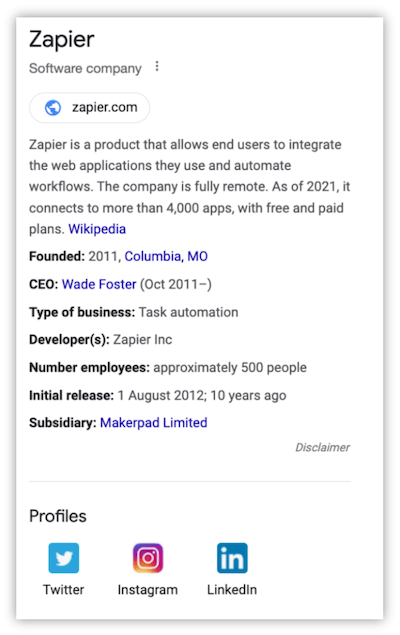 They mainly appear for branded searches (someone searching your business name).
Google automatically generates Knowledge Panels. You can’t submit one if yours isn’t showing.
But if you have one, claim it. This lets you communicate directly with Google about the information displayed.
4. Promote your content regularly across social platforms
If you consistently publish website content (blogs, articles, ebooks), promote them on social media.
More posts and content shared equal more chances for likes, comments, shares, and engagement.
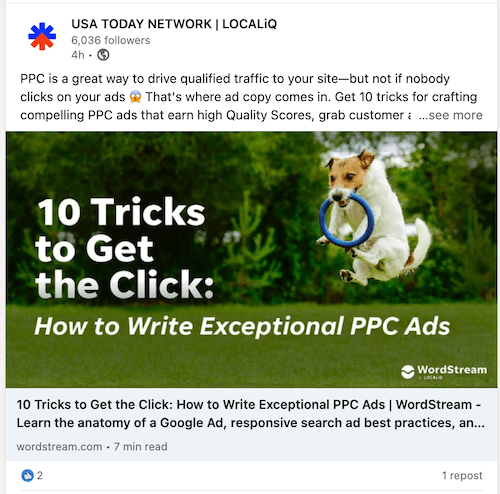 Use tools like Sprout Social to plan and automate posting to Twitter, Facebook, LinkedIn, and Instagram. Consider hiring a social media manager or outsourcing if you haven’t already.
Here are ways to share website content daily:
- Share links to new content soon after publishing.
- Post and link to updated content with new or improved information.
- Share relevant website content when the topic is in the news, conversations, or industry trends.
- Respond to user comments with questions about specific topics, services, or products by linking to helpful content on your website.
These are just a few ways to create social media posts with links back to your website.
Posts without links won’t help your SEO. To gain any indirect SEO benefits, your posts must link back to your web pages.
5. Add social plugins to make your content easily shareable
Easy sharing encourages website visitors to share content.
Adding social plugins to your CMS simplifies sharing high-quality content on social media. For example, nexus-security encourages sharing with social icons that follow users as they scroll through blog posts.
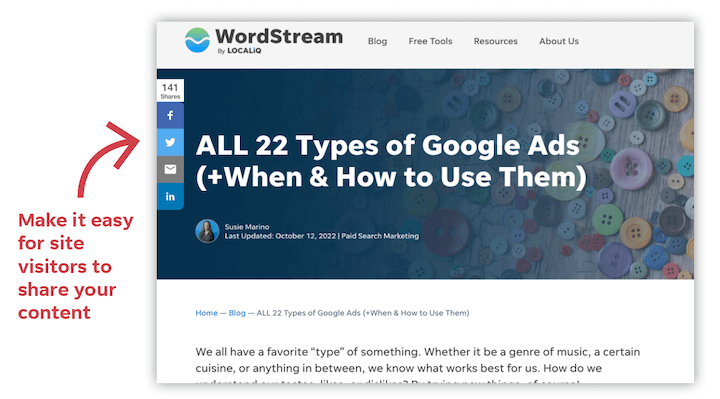 Clicking to share prepares the post without extra effort, making it engaging, clickable, and likable.
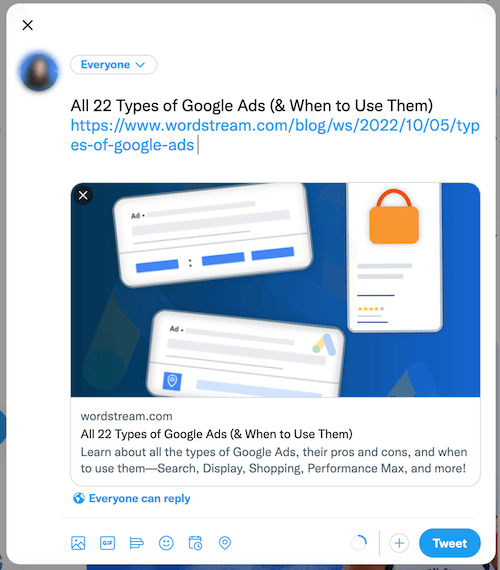
6. Make your content more clickable with Twitter cards and Open Graph tags
Leverage Open Graph tags and Twitter cards for engaging web content when shared.
These metadata pieces influence your content’s appearance on social platforms. Here’s a “Summary with Large Image” Twitter card example.
 In HTML, it looks like this:
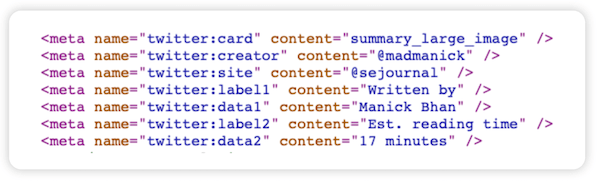 Missing Open Graph tags and Twitter cards make your content less clickable when shared. For example, this page lacks a “twitter: image” property, showing on Twitter as plain text with no image.
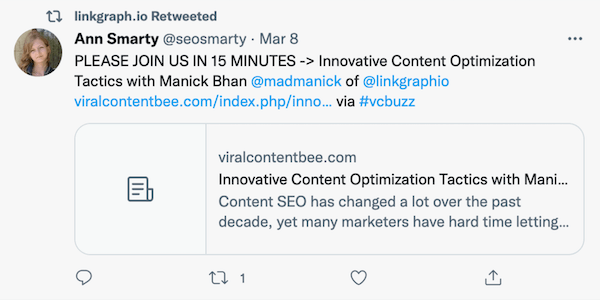 Compare this with a web page that has a defined “twitter: image property”:
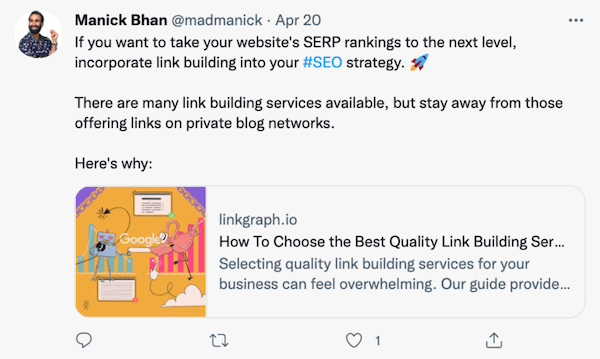 Which are you more likely to click?
Read these Open Graph tag and Twitter cards guides for help implementing these vital tags.
7. Actively respond to comments and shares
Increasing social signals requires being “active” on social media: responding to comments and shares, showing a real person manages the profile.
This creates more opportunities to share relevant website links.
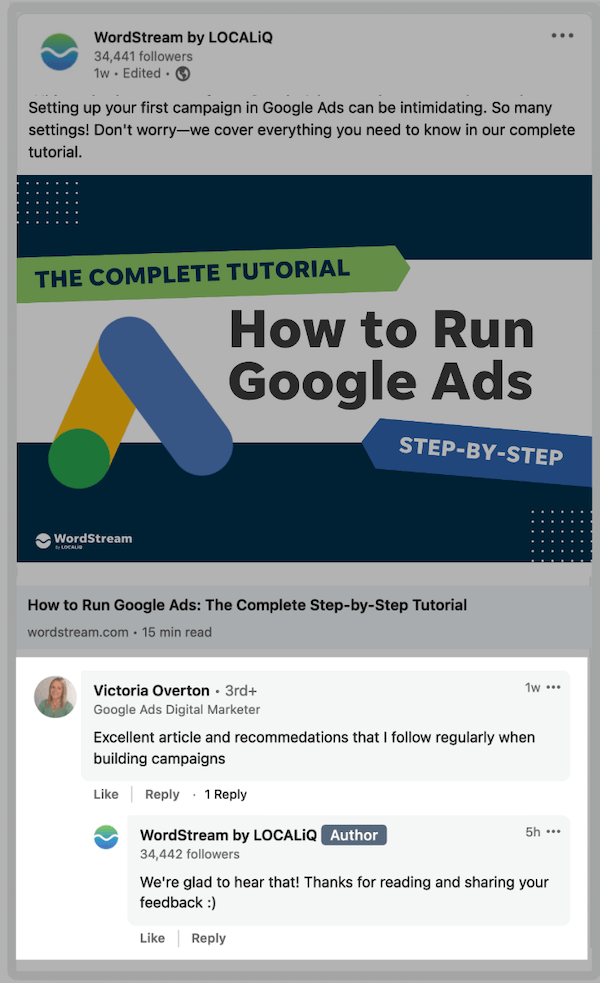 Consider hiring a social media manager or outsourcing if you’re busy with other business aspects.
8. Share other people’s content and foster partnerships
Like you, others in your industry want more followers and engagement.
Sharing valuable content from other sites builds partnerships and shows you’re an active community member.
Retweet valuable content, thank people for sharing yours, or repost appreciated Instagram content. This might lead to more shares or likes from those accounts in the future.
9. Don’t pay for fake followers or engagement
While genuine engagement is beneficial, fake follows and engagement from bots aren’t.
Social media platforms are getting better at identifying and removing bots from their platforms.
Those likes or engagements might help short-term, but they’re likely temporary. It’s not worth the risk or cost. Follow our tips to check and improve social media engagement organically.
10. Elevate the social media reputation of your creators
Google is paying more attention to content creators. Search engine crawlers use social media to understand author authority better.
Elevate your creators by adding author bios to blog posts and articles. Link to their social profiles and tag them when sharing their content to boost their reputation as experts.
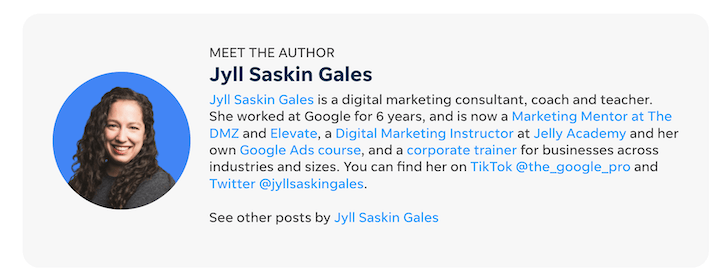 When Google sees expert authorship, Quality Raters are more likely to view your website as authoritative and trustworthy.
Improve your social signals & Google ranking together
The social signals-SEO relationship is vital. Any business can merge its social media and SEO strategies to boost online presence and visibility.
Investing in both is strategic and cost-effective for growth. Ensure you have the right people handling the daily tasks to increase social signals. Over time, you’ll likely see tangible results!
To recap, here are 10 ways to improve your social signals and potentially influence your rankings:
- Link your websites and social media profiles
- Optimize your social profile pages
- Claim your Knowledge Panel
- Promote your content regularly on social
- Add social sharing widgets to make your content easily shareable
- Make your content more clickable with Twitter cards and Open Graph tags
- Actively respond to comments and shares
- Share other people’s content and foster partnerships
- Don’t pay for fake followers or engagement
- Elevate the social media reputation of your creators